Exit Node: regional tracking and EDGE limitations
This scenario is for funnels where one mother tracker is not enough: you need a tracking domain and IP closer to the audience (EU/US/APAC), a separate regional ingress, or click handling isolated from the main server. In ATracker this is EDGE (Exit Node) mode: a separate VM handles clicks; admin UI and reports stay on the mother tracker.
When to apply. Regional tracking makes sense when the ad network or antifraud expects a “local” click host, you deliberately split GEO across servers, or the mother tracker is far from the target GEO and redirect latency matters. When to skip: a normal single-server funnel — keep DIRECT and Ingress = Main tracker; EDGE adds DNS, releases, and limitation overhead.
Outcome. Node Online → domain with Ingress = Exit Node and DNS to the node IP → campaign in EDGE mode with a ready assignment → test click on the edge domain → only then put the URL into ads. Full install reference: Exit Nodes in docs.
Prerequisites
- Mother tracker already running: offer, flow, and postback configured on DIRECT (or you are ready to move the same scheme to EDGE).
- Separate VM for the node with SSH access and a public IP in the target region.
- A tracking domain (or subdomain) whose DNS you can point at the node IP, not the mother tracker.
- Understanding EDGE limits: on the node you cannot rely on cloaking action curl or browser /
t.jsfingerprint; redirect fingerprint is computed on the node. If your scheme depends on JS Bot + Safe Page — read JS Bot Detection and verify compatibility first.
Step 1 — Exit Node in the target region
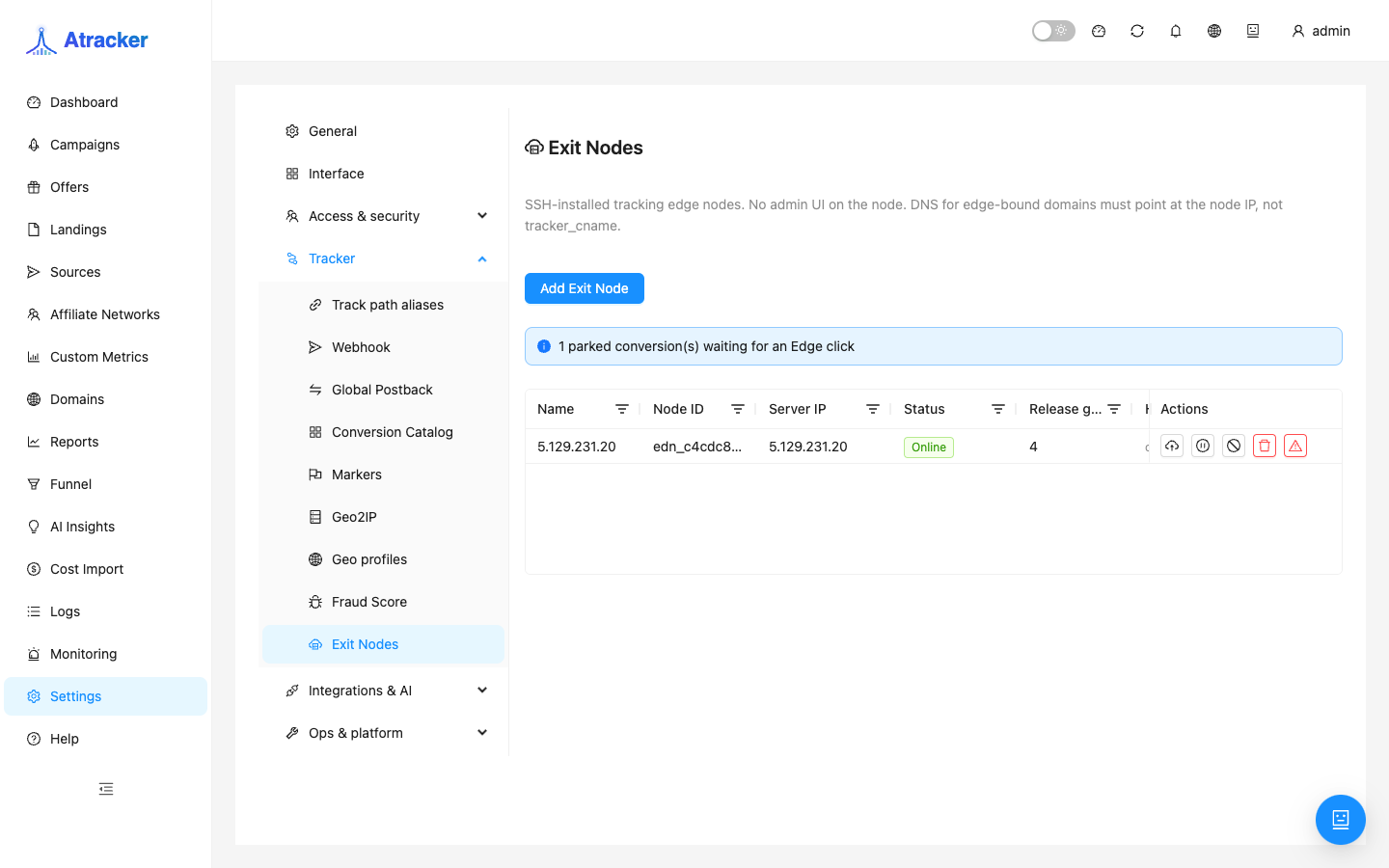
- Open Settings → Tracker → Exit Nodes (
/settings?tab=exit-nodes). - Add Exit Node → name (e.g.
edge-eu-1), VM IP, SSH login/password, consent for OS package updates. - Click Install and wait for progress to finish (connecting → … → completed). The node appears with status and release generation.
- Check: Online status and fresh heartbeat. Degraded or event backlog — do not proceed to the domain until connectivity and config are healthy.
Step 2 — Domain: Ingress to the node, not the mother tracker
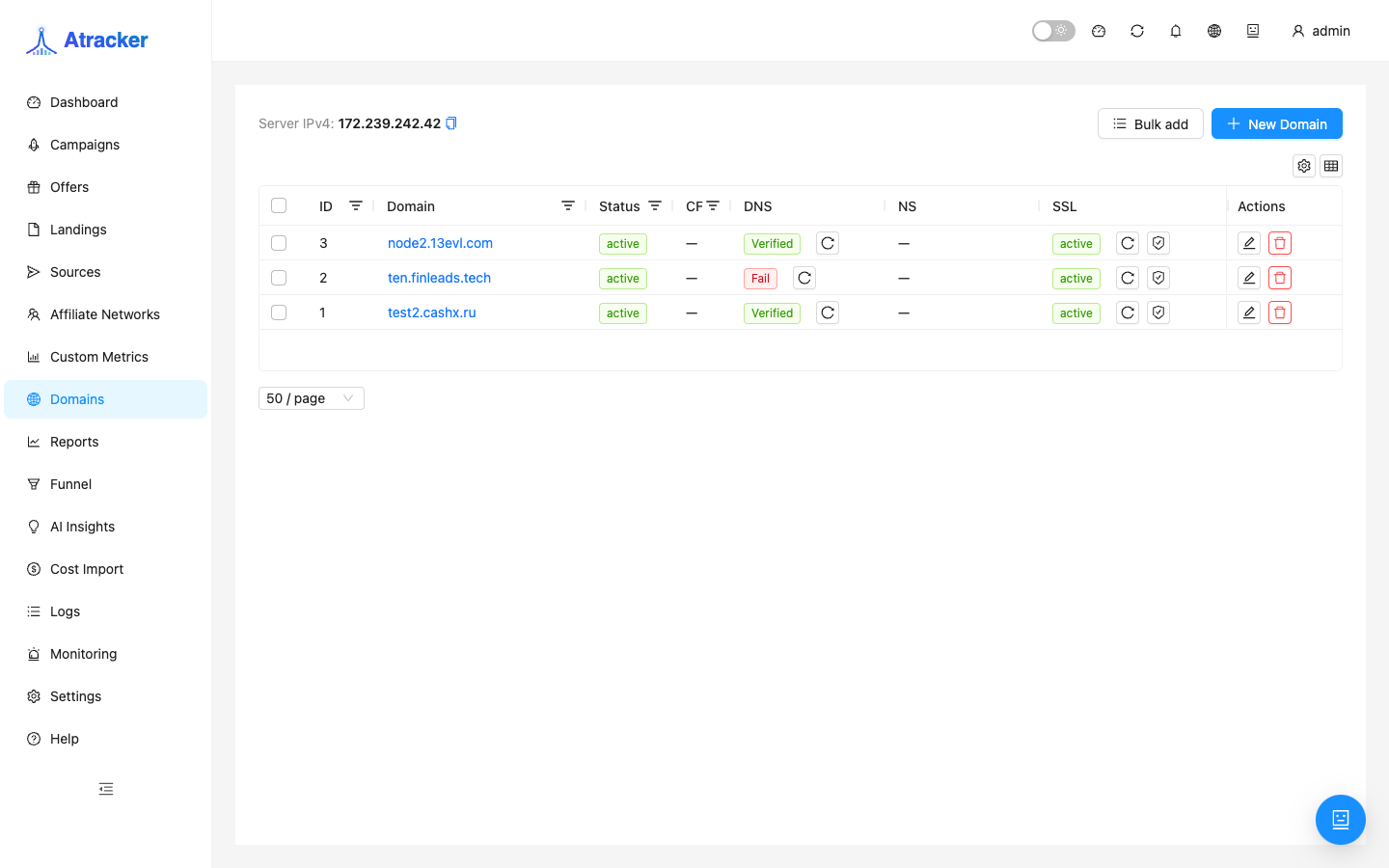
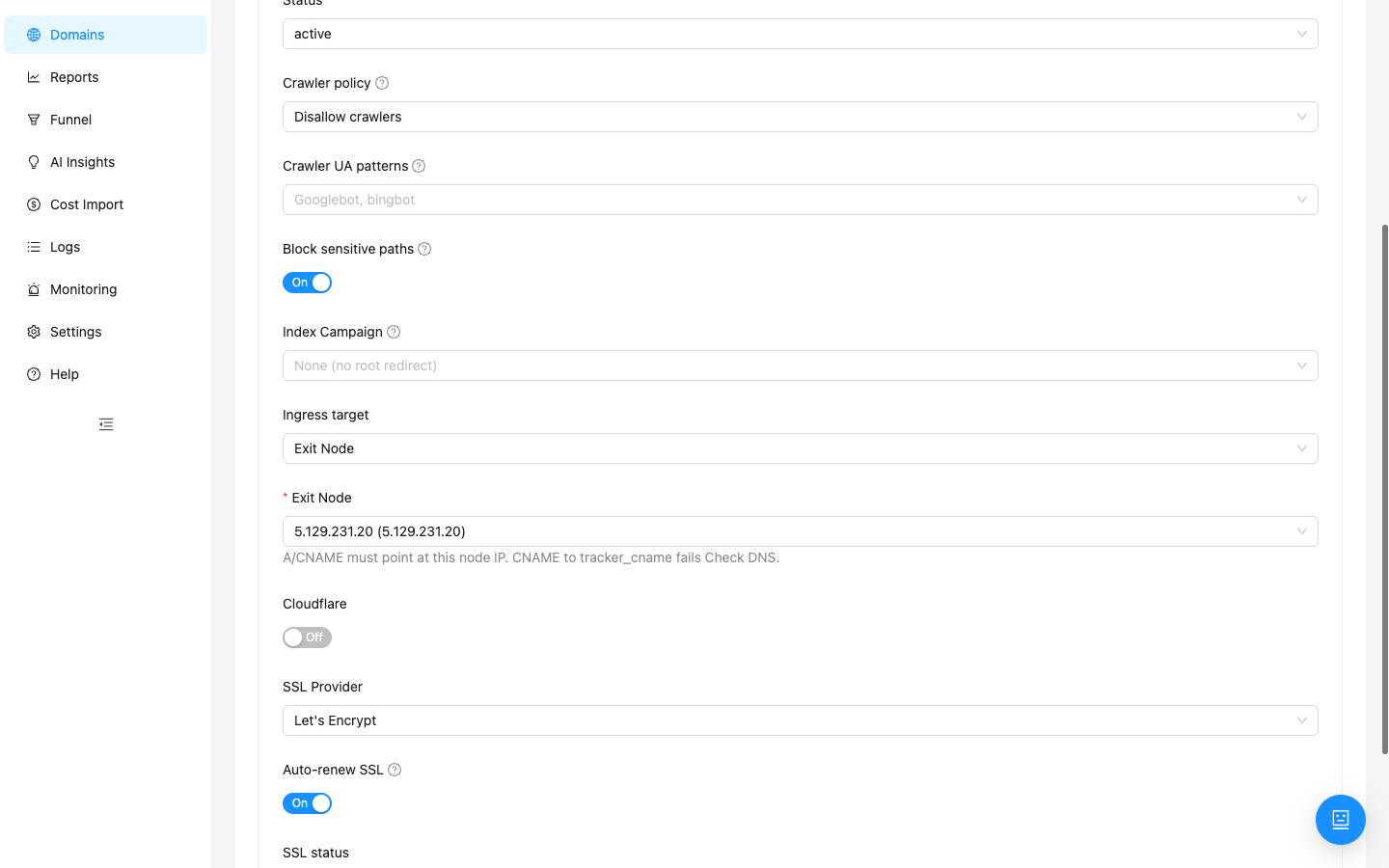
- Domains → create or open a tracking domain for the region (e.g.
trk-eu.example.com). - Ingress target → Exit Node (not Main tracker). In Exit Node pick the node from step 1.
- At the registrar set A or CNAME to the node IP. CNAME to the mother’s system tracker CNAME fails Check DNS.
- Wait for Verified DNS and active SSL. Open
https://your-edge-domain/without browser warnings.
One domain — one ingress. Switching from Main tracker to Exit Node changes where DNS must point; update live ads deliberately.
Step 3 — Campaign: EDGE mode and node+domain assignment
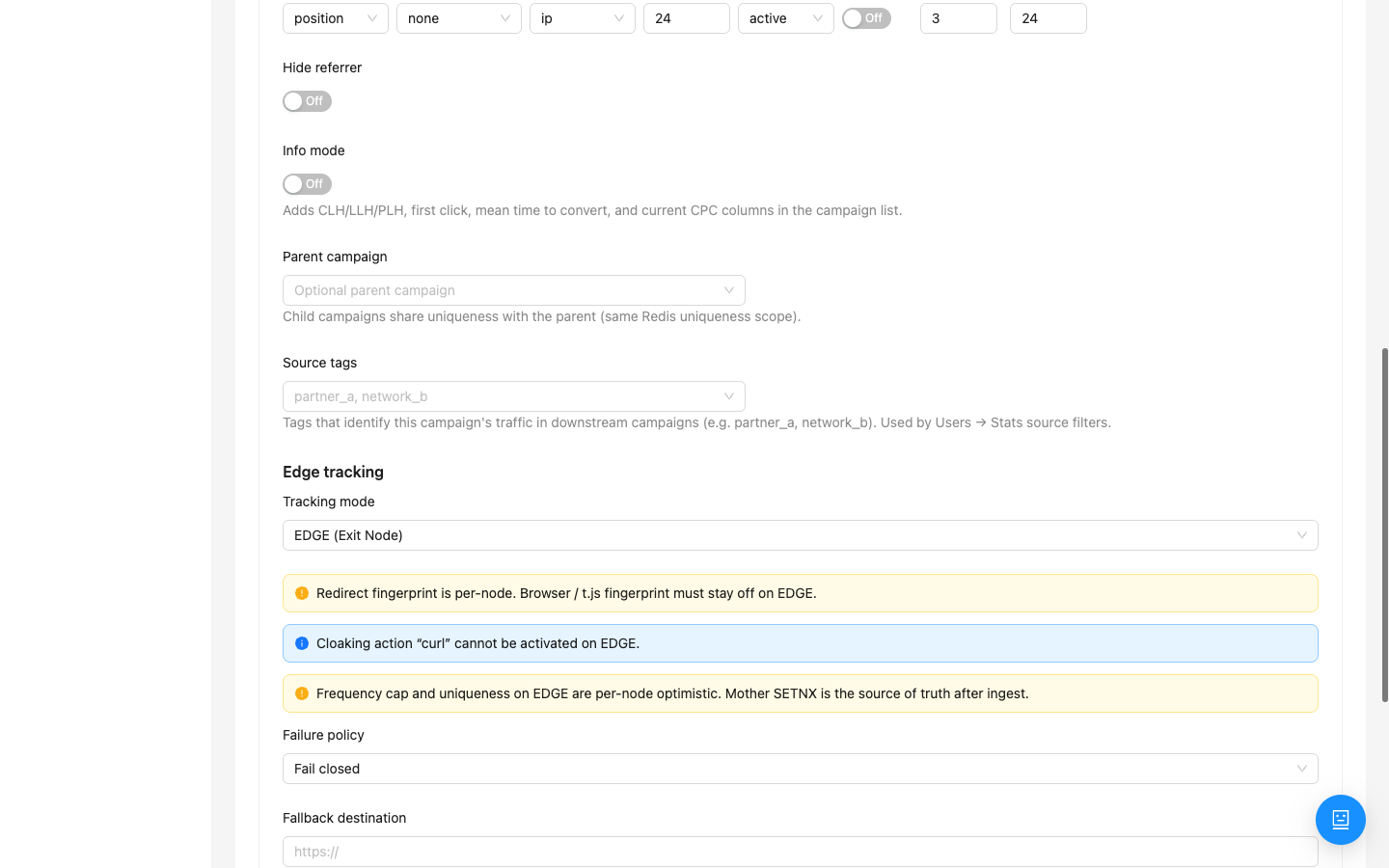
- Open the campaign (or clone one for the region) → Settings tab → Edge tracking block.
- Tracking mode → EDGE (Exit Node). Read UI warnings about fingerprint and cloaking curl.
- Pick a tracking domain with Ingress = Exit Node (from step 2).
- Assign Exit Node + Domain → Save assignments. Wait for DNS+SSL+release ready / assignment Ready.
- Offers, Landings, and Flows are built like on DIRECT — there is no separate “edge copy”; the node gets a configuration snapshot. After flow edits wait for auto release or click Issue release on the node.
Step 4 — Pre-launch verification
- URL & Postback tab — copy the campaign URL. Host must be the edge domain, not the mother tracker.
- Open the URL in a private window or use Simulate with the target region GEO.
- Logs → Clicks: a fresh campaign click. On test postback check Conversions; a parked-conversions banner means postback arrived before the edge click — ads are hitting the wrong domain.
EDGE limits — compatibility checklist
| Scheme on DIRECT | On EDGE |
|---|---|
| Redirect URL + flow redirect | Works — primary EDGE scenario |
JS Tracking (t.js) + browser fingerprint | Disable browser / t.js fingerprint on EDGE; external landing JS on EDGE is a separate risk — see the JS Tracking learning article |
| Cloaking Safe Page action curl | Not available on EDGE |
| Frequency cap / uniqueness “globally” | Applied per node first; mother reconciles after click ingest |
Common mistakes
- Domain DNS points at the mother tracker IP while Ingress = Exit Node — Check DNS fails, readiness never arrives.
- EDGE mode on but assignment Not ready — not safe for ads.
- Ads still use the old DIRECT URL while the campaign moved to EDGE — clicks “vanish” or conversions park.
- Migrating a DIRECT cloaking scheme without rebuilding for EDGE limits — Safe Page / bot detection stop behaving as expected.
- Expecting instant release after a flow edit — wait for heartbeat and a successful release generation on the node.
Rollback to DIRECT
If regional EDGE did not pay off: campaign mode → DIRECT, domain Ingress → Main tracker, DNS back to the mother tracker, save, verify URL. Update ads that still use the old edge domain separately.