Clicks but no conversions: postback chain debugging
You know the symptom: clicks climb on Dashboard and reports, conversions stay at zero (or below expectations). Do not start with charts — walk the chain from click to inbound postback and a row in Logs → Conversions.
When to use this. After launching a funnel, when changing a network or postback URL, or migrating from another tracker. Works for manual test postbacks and live network S2S.
How the chain works (what to verify)
- Click — the tracker issued a subid (Click ID) and sent the user to the offer with that id substituted.
- Offer — URL contains
{subid}/{clickid}; the network stored that id. - Conversion at the network — lead/sale in the partner cabinet.
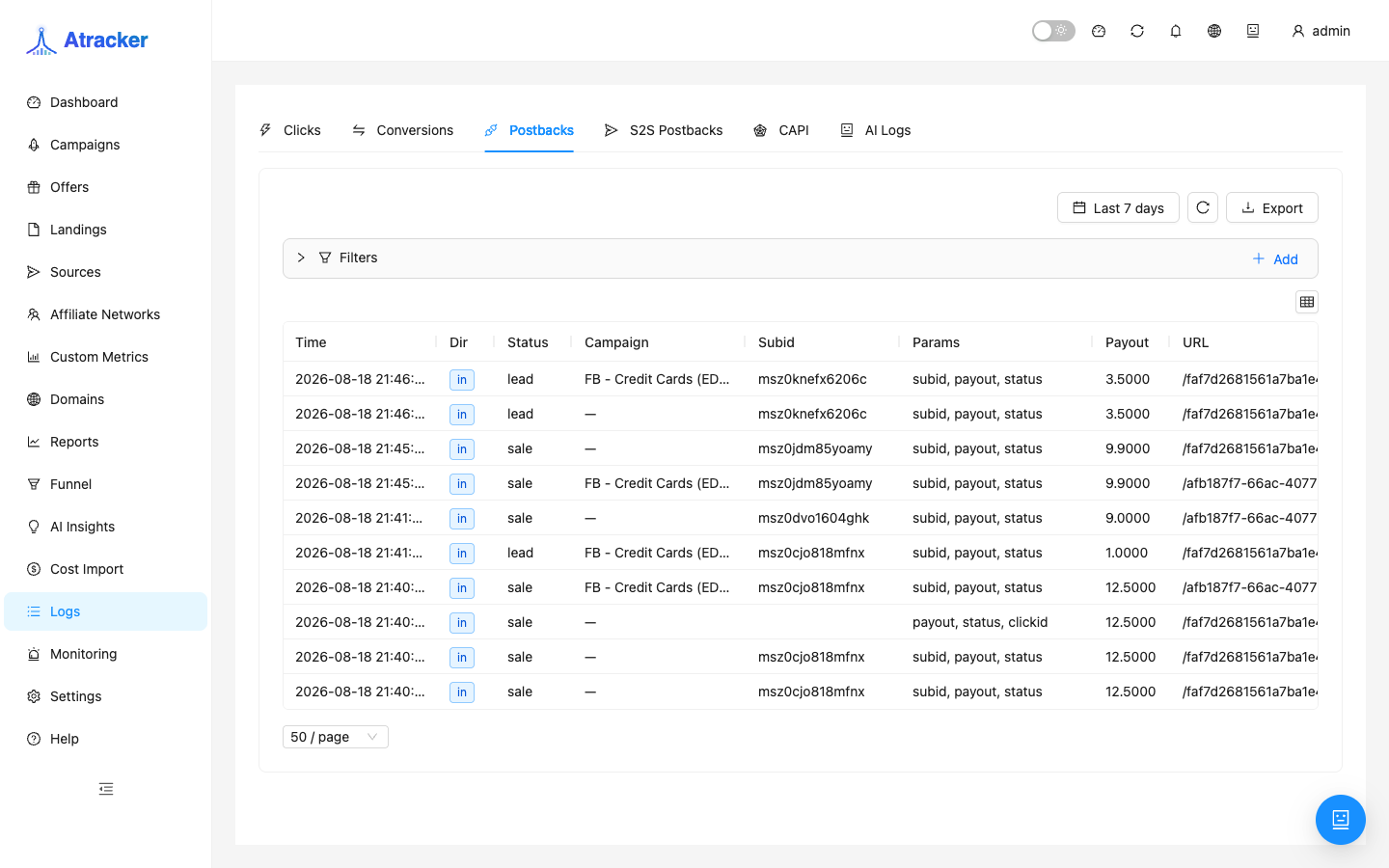
- Postback in — the network called the tracker URL; a row in Logs → Postbacks with direction in.
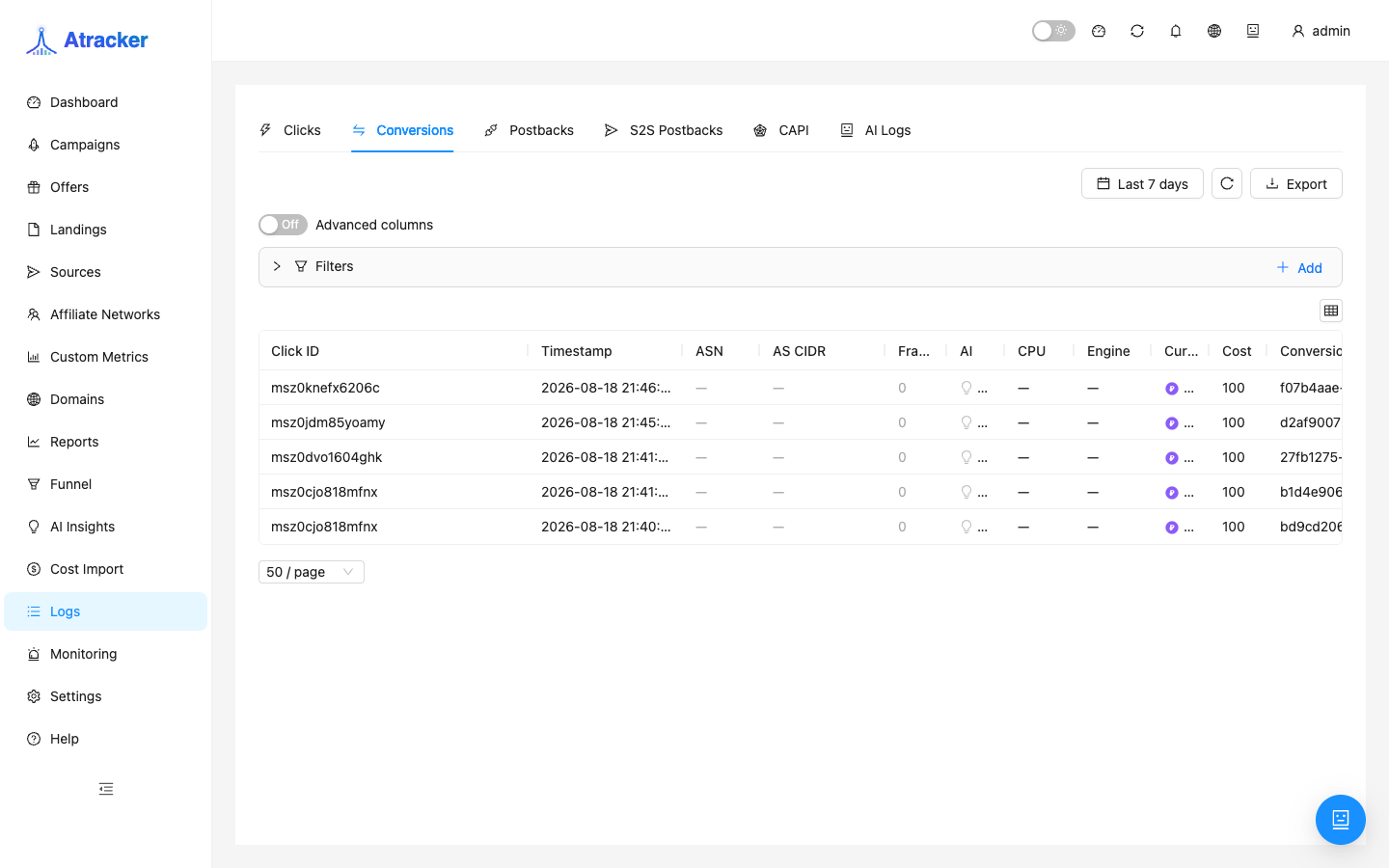
- Conversion in the tracker — a row in Logs → Conversions with the same subid.
A break at any step yields “clicks without conversions”. Below is the top-down check order.
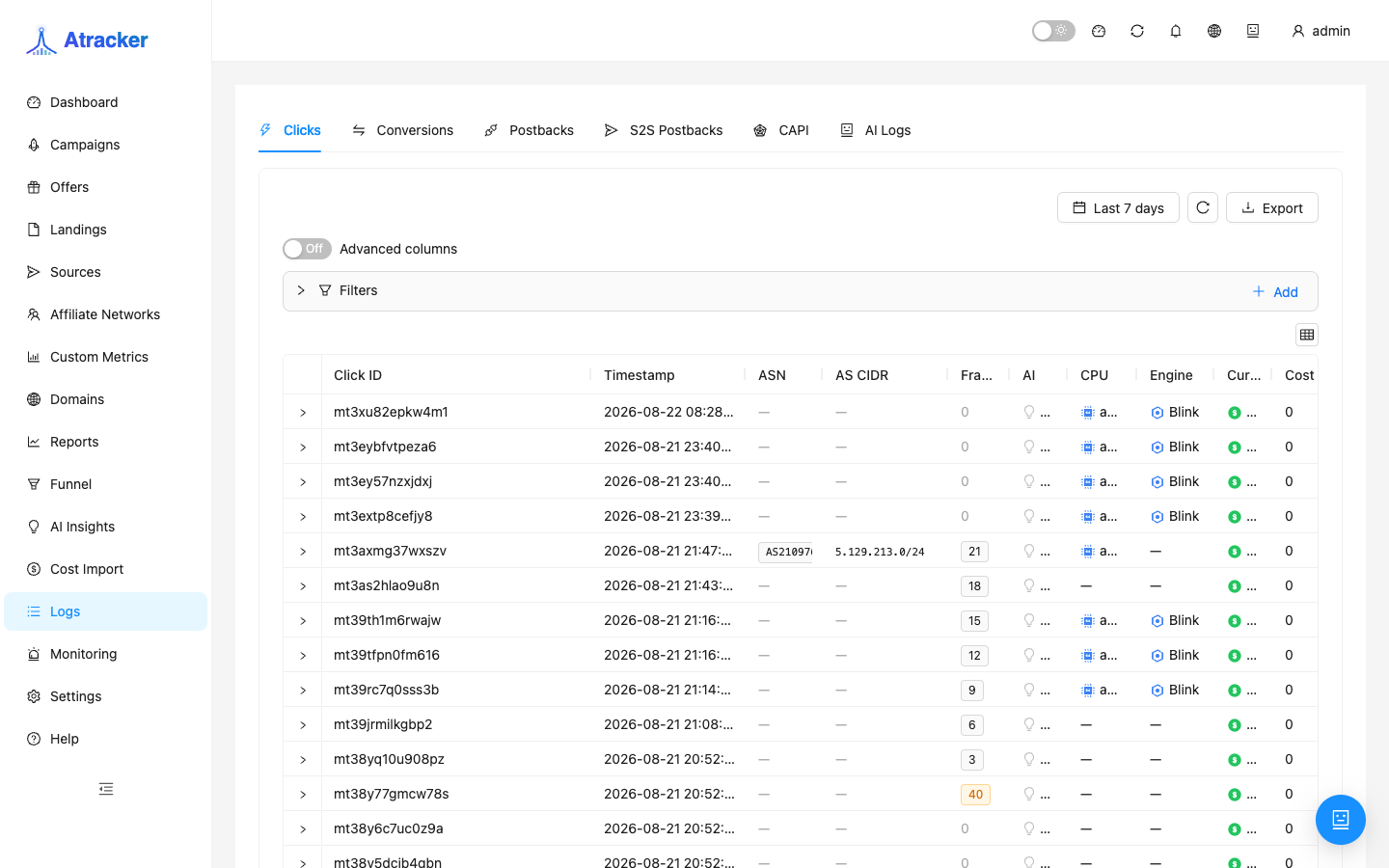
Step 1. Confirm the click and subid
- Logs → Clicks. Use a wider period than “last hour” — Last 7 days often helps.
- Find the click by campaign/time. Copy Click ID — that is the postback subid.
- No clicks — the issue is before postback: domain, campaign URL, flow. Go back to first launch.
Step 2. Did subid reach the offer?
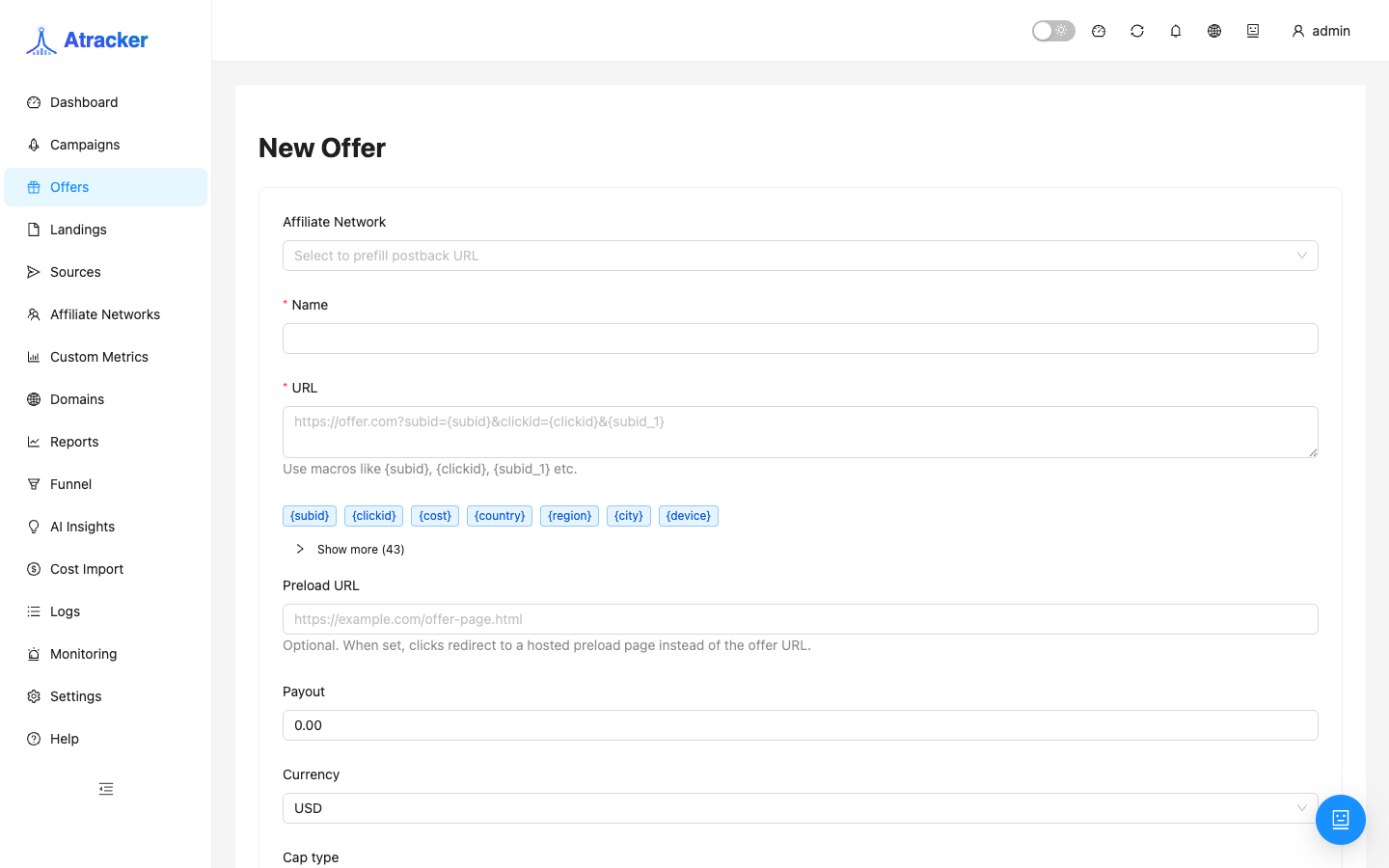
- Open the offer under Offers — URL must use a tracker macro, not a hard-coded test id.
- Repeat a click and inspect the final redirect URL (DevTools → Network) or the click log: subid in the offer query must match Click ID.
Step 3. Is the network postback URL correct?
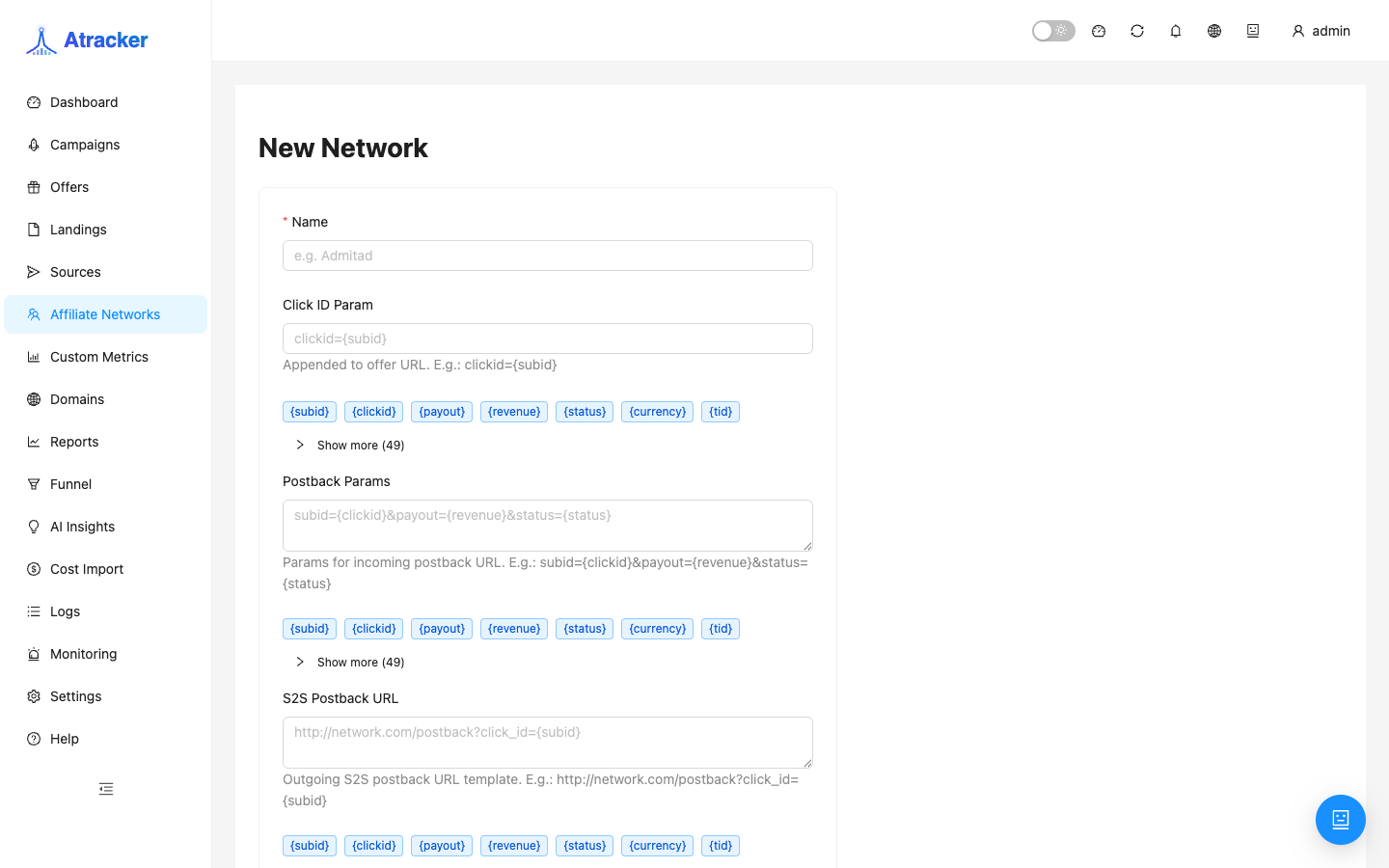
- Affiliate Networks — copy the template postback URL. The partner cabinet must use the same host/path and parameters
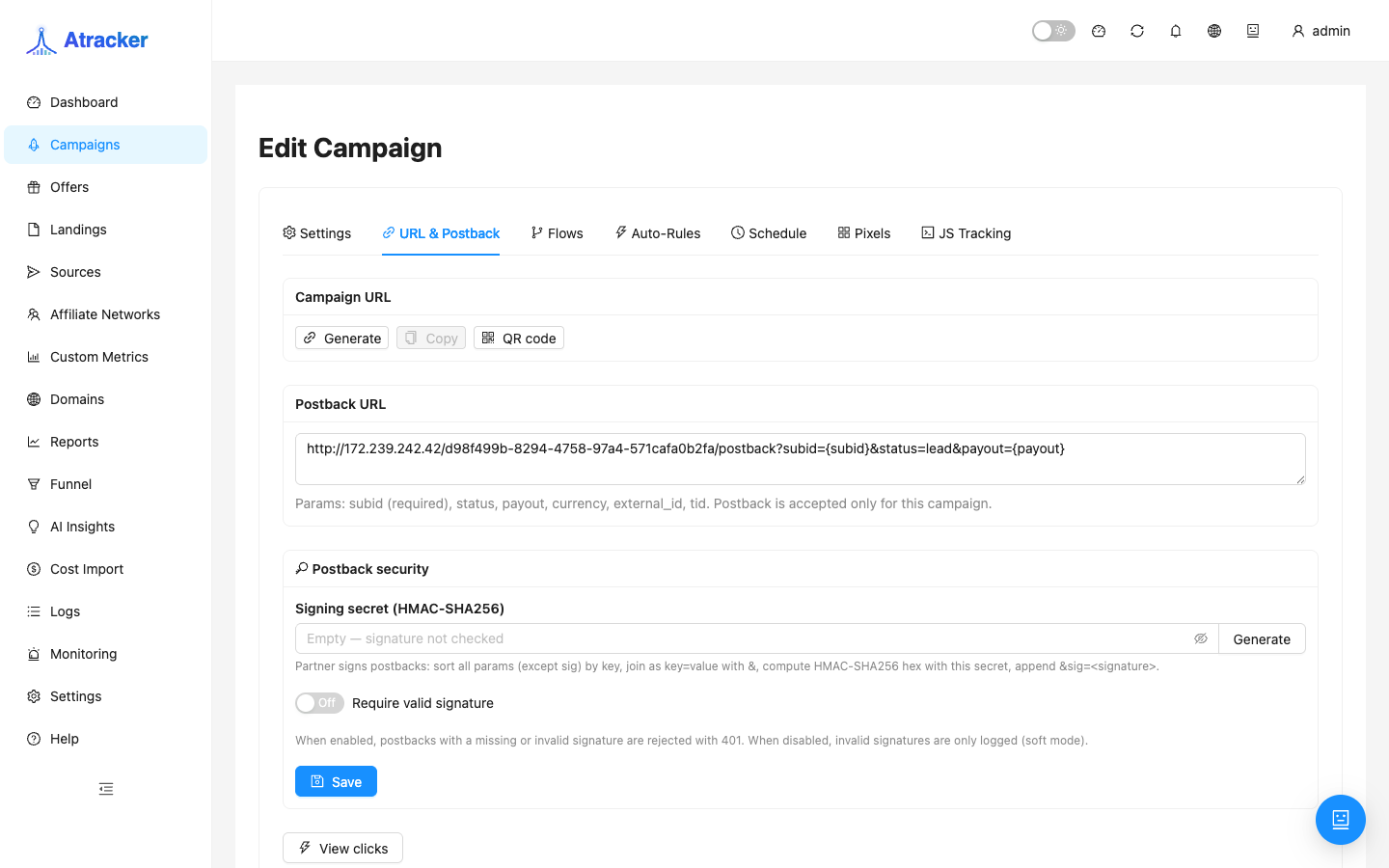
subid(or your mapping),status,payout. - On the campaign, URL & Postback shows this campaign’s postback — useful for manual tests. Partner cabinets usually get the global network URL from Affiliate Networks.
Step 4. Did the postback arrive? (Logs → Postbacks)
- Logs → Postbacks. Filter by subid from step 1.
- Look for direction in, status lead/sale, and payout. Empty — the network is not hitting the tracker or the URL is wrong.
- For a manual check, open the postback URL in a browser or curl with a real subid and
status=lead.
Step 5. Did a conversion appear? (Logs → Conversions)
- Logs → Conversions. Same subid and period.
- Postback exists, no conversion — check postback status (rejected status), duplicate external_id, or campaign/offer filters (caps).
Common causes (quick reference)
| Logs symptom | Likely cause | Action |
|---|---|---|
| No Postbacks in | URL not in partner cabinet, firewall, wrong domain | Match URL to Affiliate Networks; test GET with subid |
| Postback in, wrong subid | Network sends its click_id, not tracker subid | Offer URL macro; parameter mapping in network template |
| Postback 401 in log | Postback signing enabled on campaign | Disable Require valid signature for tests or configure HMAC at the network |
| Postback in, no Conversion | Wrong status, duplicate, cap | Check status=lead/sale; offer caps; retry with a new click |
| Conversion in Logs, empty Reports | Report period/filter | Widen period; group by Campaign; do not rely on Dashboard alone |
Outbound postback to ads (S2S)
If the tracker shows a conversion but the ad platform does not — check S2S Postbacks in Logs and outbound postback settings under Sources (Postback URL on the source record). That is separate from inbound network postbacks.
Checklist before support escalation
- Click ID from Logs (Clicks)
- Screenshot or URL of the offer with the macro
- Postback URL from Affiliate Networks
- Postbacks in row (or absence) for the same period
- Result of a manual postback with the substituted subid
Reference for Logs and postback: documentation.