Own landing: JS Tracking instead of redirect URL
This scenario applies when ads point directly at your landing (Facebook/Google/TikTok require a “clean” page URL, self-hosted landing, Tilda/WordPress, etc.) instead of a campaign URL that redirects through the tracker. Without JS Tracking clicks never reach ATracker: you lose funnel stats/ROI and subid for postback.
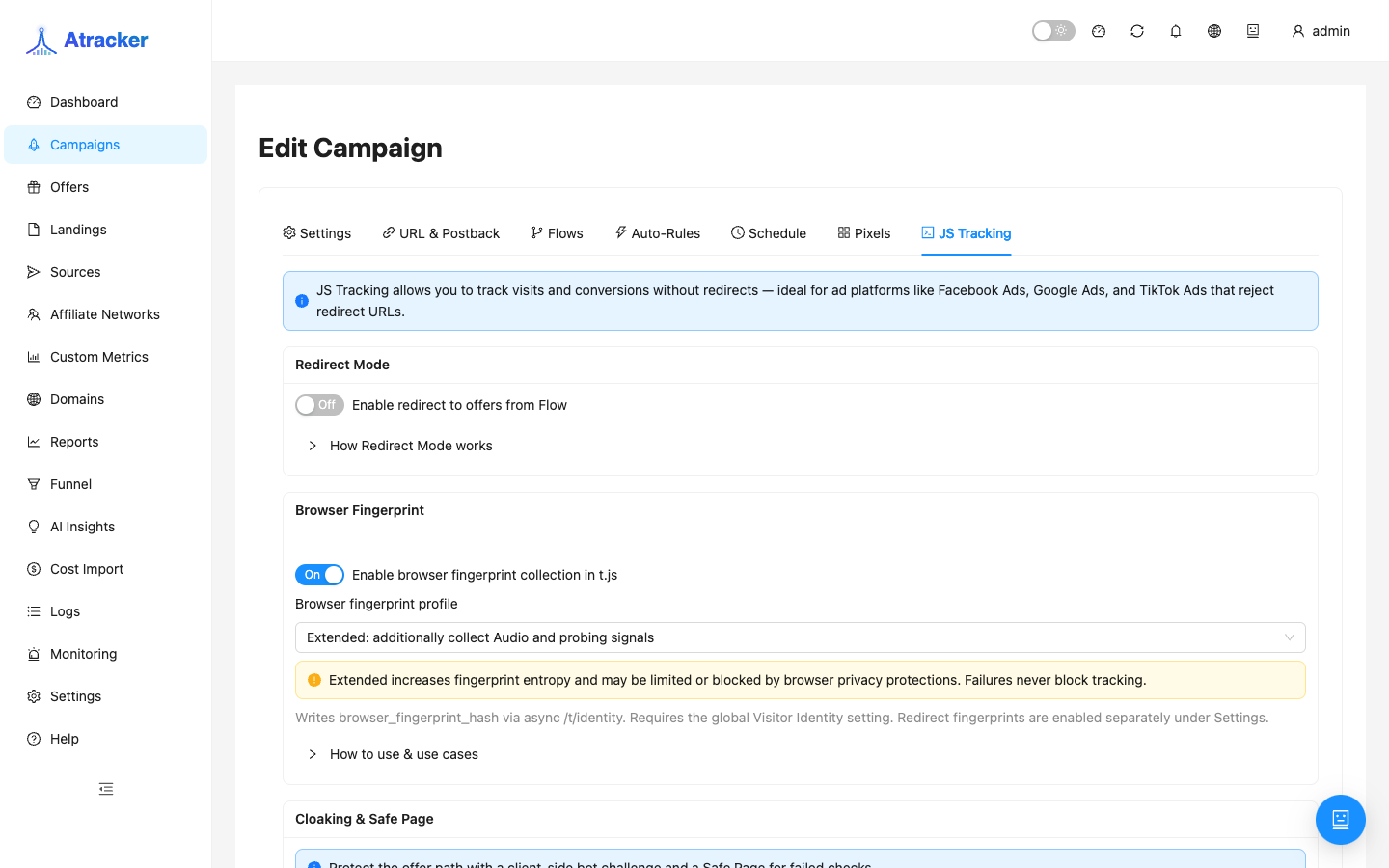
When to apply. Direct landing URL in the ad; a tracking redirect link is impossible or undesirable; you need trk.getSubid() in a form or trk.conversion on thank-you without partner S2S. When to skip: classic redirect arbitrage (campaign URL → landing/offer via flow) — URL & Postback alone is enough, no snippet.
Outcome. t.js snippet in <head> on all entry pages → click in Logs → subid in the form or conversion on thank-you → Pixels for ad platforms if needed. Field/API reference: JS Tracking in docs.
Prerequisites
- Campaign exists with a tracking domain that serves HTTPS (same host that serves
/t/t.js). - Landing is available over HTTPS; you can edit
<head>(or the CMS template). - A Landings record points at your landing URL — for reports and flow even when traffic bypasses redirect.
- Campaign on DIRECT on the mother tracker (typical). On EDGE, browser /
t.jsfingerprint is limited — see the Exit Node learning article.
Step 1 — Landings and flow
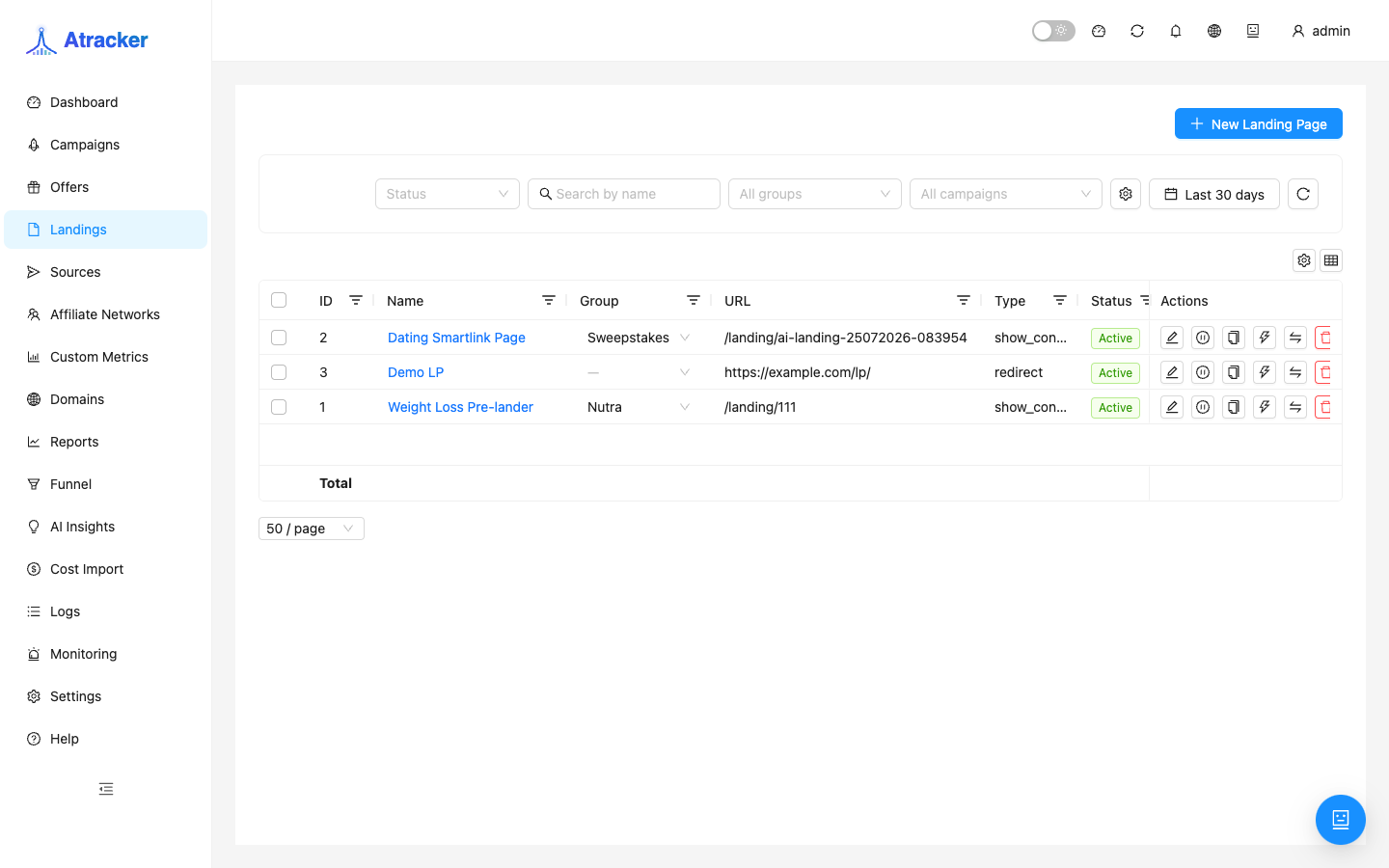
- Menu → Landings (
/landing-pages) → create a landing with the real URL (e.g.https://lp.example.com/promo). - On the campaign Flows tab add landing → offer (or offer-only if there is no pre-landing).
- On JS Tracking keep Redirect Mode off — counting happens via the snippet; the flow does not redirect on entry.
Step 2 — Snippet and Allowed domains
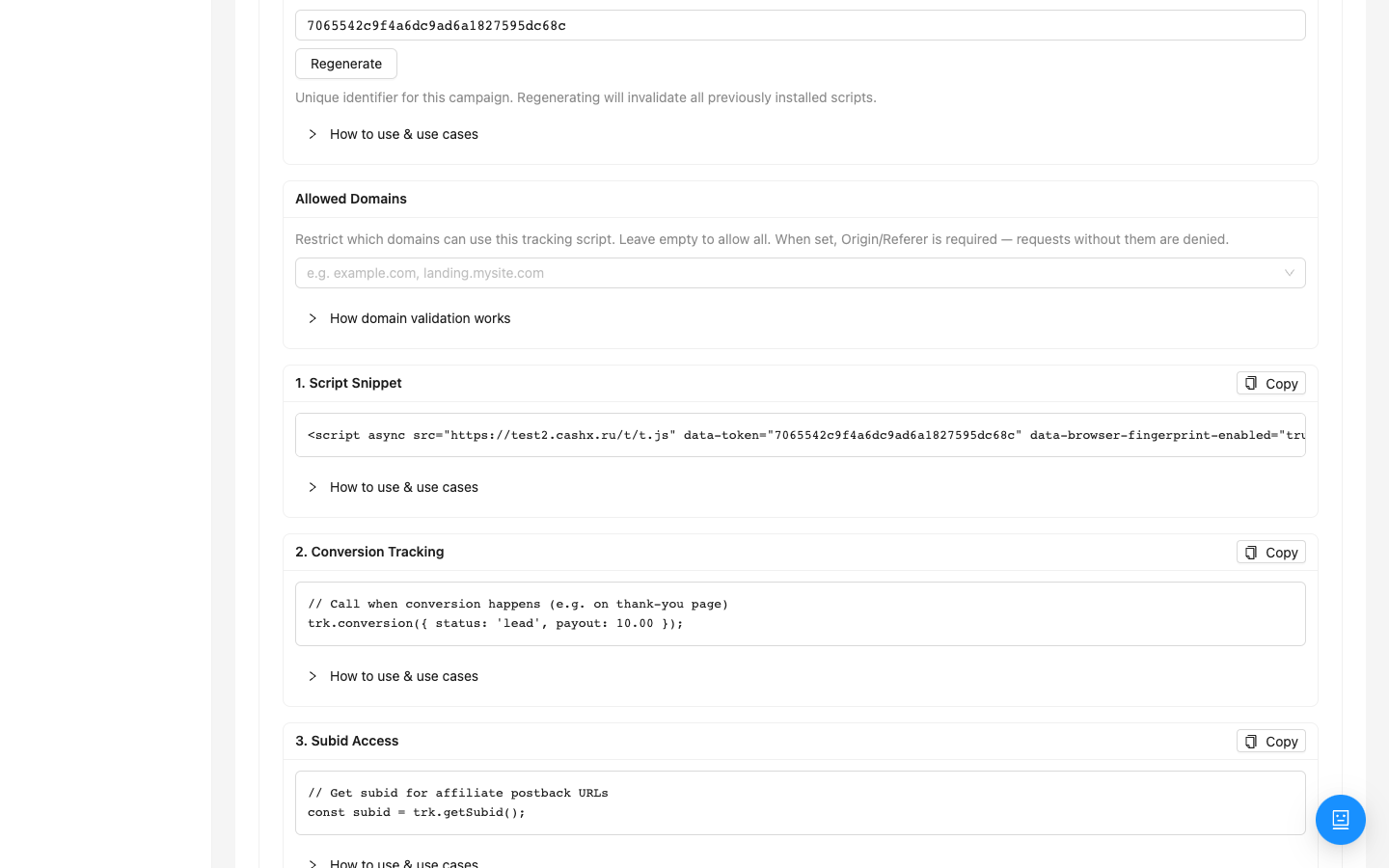
- Campaign → JS Tracking → copy
<script async src="https://trk.example.com/t/t.js" data-token="…"></script>(domain and token from the UI). - Paste into
<head>of every page ads open (promo, pre-landing), not only thank-you. - If you fill Allowed domains — enter the landing host without typos (
lp.example.com; addwwwif needed). Empty list = no Origin check; a filled list blocks foreign domains. - Default script path is
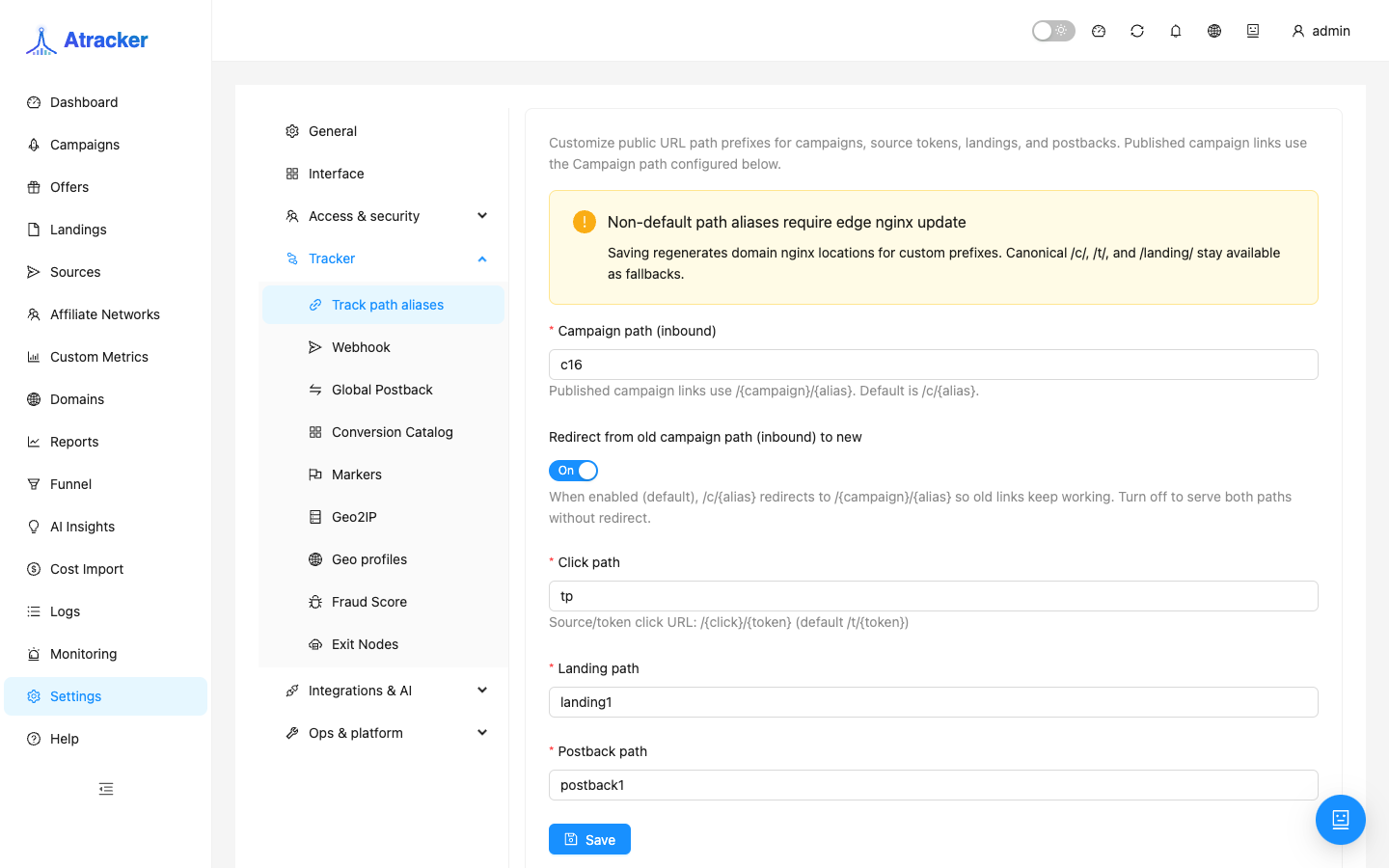
/t/t.js. If you changed aliases — check Settings → Track Paths (step 4).
Step 3 — Verify the click in Logs
- Open the landing as a user (with source UTM/params if needed for sub_id in reports).
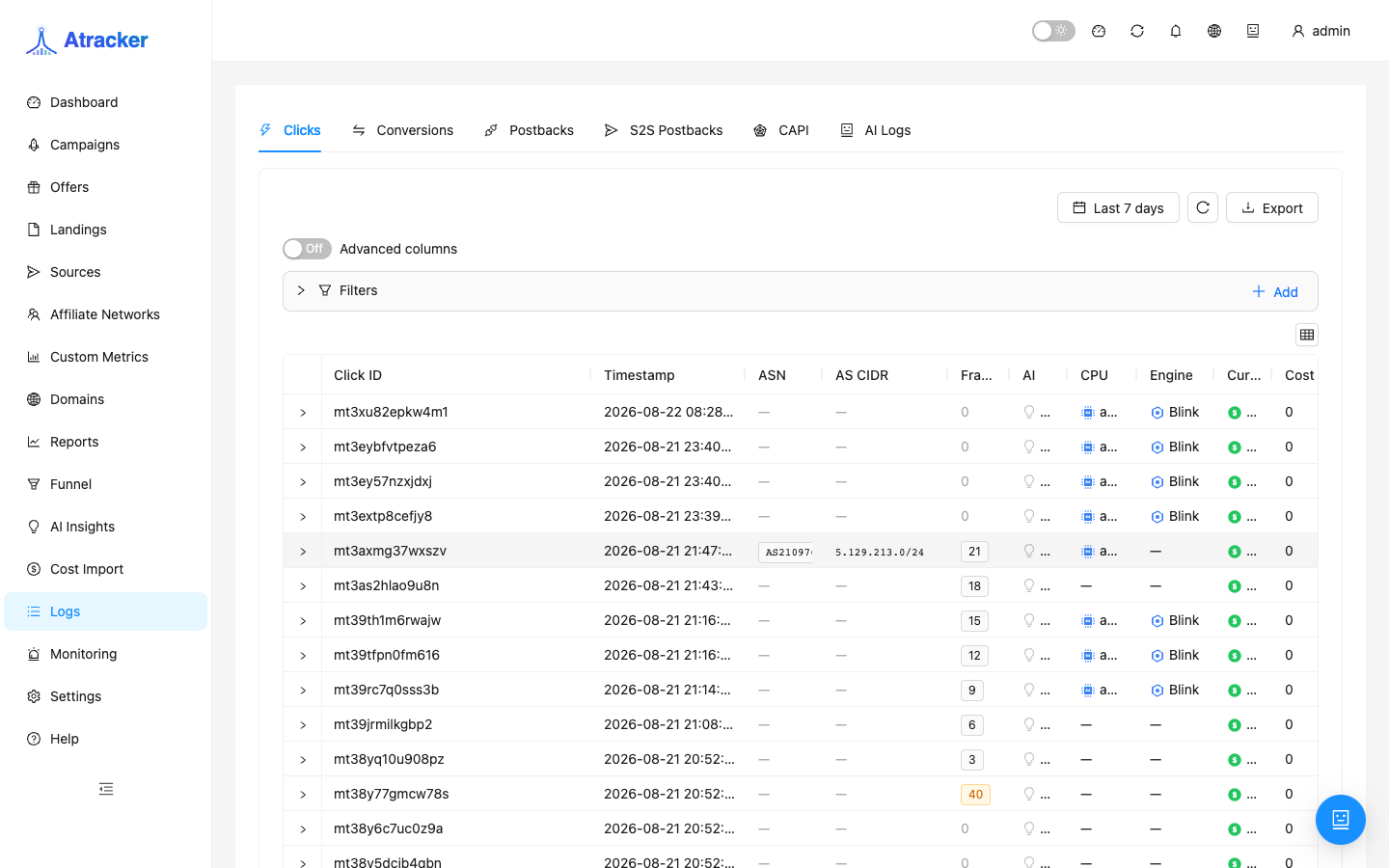
- Logs → Clicks → filter by campaign, period Today.
- A click should appear. In DevTools → Network: successful
/t/t.jsload and tracker requests; no CSP/CORS errors in Console.
No click — do not move on to conversions or pixels: fix snippet, domain, or Allowed domains first.
Step 4 — Subid, conversion, and Track Paths
- On the form:
trk.getSubid()into a hidden field or postback URL when you collect leads yourself. - On thank-you:
trk.conversion({ status: 'lead', payout: 10, currency: 'USD' })— afterwindow.trkis ready. Partner S2S postback by the same subid can run in parallel. - Settings → Track Paths — only if you changed the default
/t/t.jspath; otherwise skip.
Pixels — not the same as JS Tracking
The Pixels tab sends events to ad platforms (FB, Google, etc.). It does not create tracker clicks. Order: snippet clicks in Logs first, then Pixels; with trk.conversion, statuses may map to platform events (see pixel UI hints).
Typical workflow
- Landings + campaign flow.
- JS Tracking → snippet in head, Redirect Mode off.
- Test visit → click in Logs.
- Subid in form / conversion on thank-you or S2S.
- Allowed domains (if whitelisting) → Pixels.
Common mistakes
- Snippet only on thank-you — ad entry traffic produces no clicks.
- Allowed domains typo or missing www — 403, empty Logs.
- Landing CSP without the tracking domain in
script-src—t.jsnever loads. - Ad uses campaign redirect URL while the landing expects JS — double counting or report confusion.
- After Regenerate token the landing was not updated — clicks stop.
- Only Pixels configured without the snippet — no tracker clicks or subid.