JS Tracking
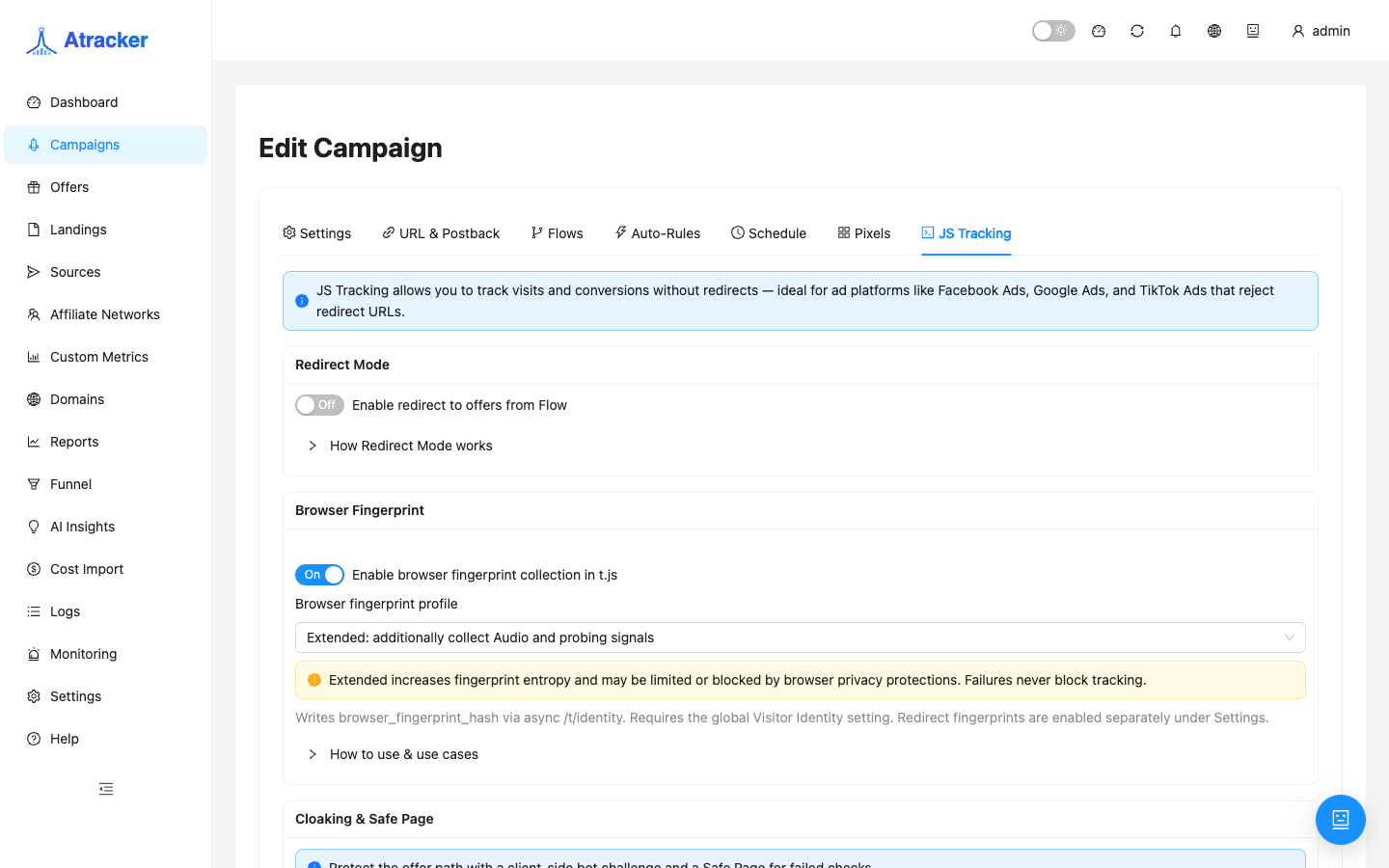
JS Tracking records clicks and conversions via JavaScript on the landing when ads open your page directly instead of a campaign URL redirect. Typical cases: Facebook/Google/TikTok requiring a “direct” landing URL, a self-hosted landing, or browser-side conversions via trk.conversion.
Purpose. Install the snippet, confirm clicks in Logs, obtain subid/click_id for forms and postbacks, and optionally register conversions from JS — without a mandatory redirect through the campaign alias.
Prerequisites
The campaign already exists with a tracking domain that serves HTTPS. The landing is available over HTTPS. If Allowed domains will be filled, the landing domain must match (or be a subdomain of an allowed entry). Ad pixels are configured on the Pixels tab, not here.
How to open
- Sidebar → Campaigns → open the campaign.
- Open the JS Tracking tab (not a separate menu item).
- Copy the snippet and configure Redirect Mode, Allowed domains, and token as needed.
Install the snippet — step by step
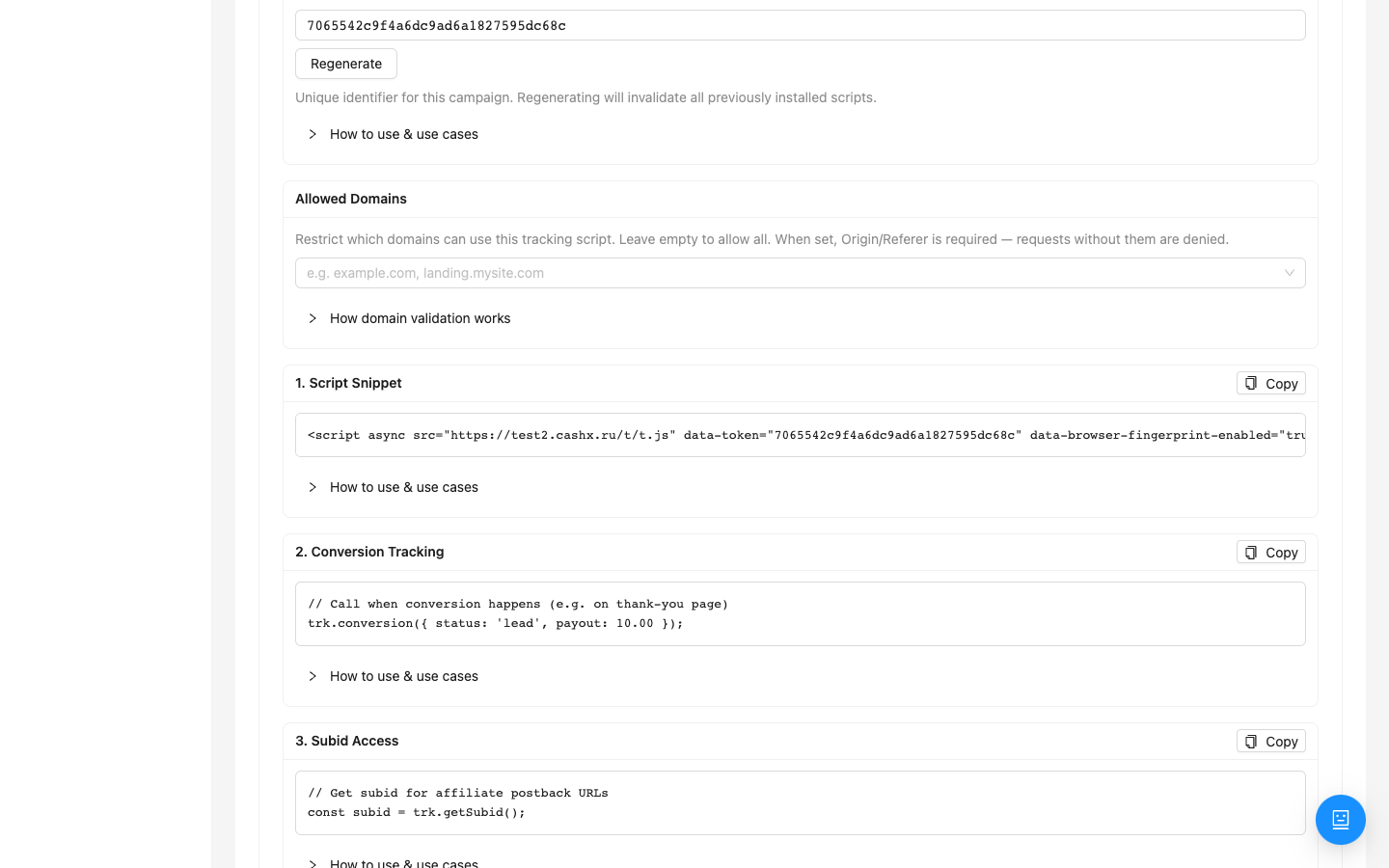
- Copy the
<script>tag from the tab. Default script path is/t/t.json the campaign tracking domain (e.g.https://trk.example.com/t/t.js). Path aliases, if changed, live under Settings → Track Paths. - Paste the snippet into the
<head>of every funnel page that should count a visit (not only thank-you). The script loads asynchronously; after load,window.trkis available. - Open the landing as a normal user (with source UTM/params if needed for sub_id). Refresh Logs → Clicks: a campaign click should appear.
- On thank-you or in the form handler, fire a conversion via the API (below) or rely on partner S2S postback by subid/clickid — both can run in parallel.
Install example (use your domain and token from the UI):
<script async src="https://trk.example.com/t/t.js" data-token="TOKEN"></script>
Redirect Mode — when to enable
Off — the flow does not redirect; counting happens via the landing snippet. This is the usual “direct landing” ad setup. On — flow redirect is allowed like a classic tracking URL. Enable only when you deliberately combine JS counting with redirect paths.
Public JavaScript API (operator-facing calls)
After the script loads:
trk.getSubid()— visitor subid; pass into hidden form fields and postback URLs when you collect leads yourself.trk.getClickId()— click_id of the last click.trk.conversion({ status, payout, currency, external_id })— register a conversion from the browser.
Thank-you example:
trk.conversion({ status: 'lead', payout: 10, currency: 'USD' });
Do not call conversion before window.trk exists (wait for script load or retry when the object is missing).
How clicks behave (user-facing)
Each page load with the snippet creates a click. The first visit within campaign uniqueness is unique; refresh/new tab before Uniqueness TTL expires is non-unique. Very frequent duplicates in a short window (tens of seconds) may be collapsed server-side — a double refresh might not produce two clicks. The visitor id lives in cookie/localStorage (key shaped like _v + token prefix) — clearing storage creates a new “first” visit.
At campaign Settings, the identity / fingerprint profile (off / balanced / extended) controls how tightly the visitor is linked for JS tracking. Change it only if you understand the impact on uniqueness and fraud scoring.
Allowed domains and Regenerate token
If Allowed domains is non-empty, requests from other Origins are rejected. Listing example.com usually covers subdomains — verify against your real landing (www vs bare). Regenerate token immediately invalidates the old token: update every installed snippet and hardcoded reference, or clicks stop “suddenly”.
If the UI shows PHP Connect, that is an optional server-side fragment for landing backends; pure JS setups only need the script tag.
Relation to Pixels
The Pixels tab sends events to ad SDKs. On trk.conversion, statuses map to cabinet events (e.g. lead → Lead / generate_lead, sale → Purchase / purchase — see pixel UI hints). Configure pixels after clicks already write via JS Tracking.
CSP and network
If the landing has a strict Content-Security-Policy, add the tracking domain to script-src or the browser blocks /t/t.js. In DevTools → Network you should see a successful script request and follow-up tracker calls; Console should not show CSP/CORS errors for the tracking domain.
Typical work order
- Campaign + HTTPS domain ready.
- JS Tracking tab → copy snippet → paste into head.
- Verify click in Logs.
- Pass subid into the form / thank-you → conversion or S2S.
- Optionally lock Allowed domains, then configure Pixels.
Common mistakes
- Snippet only on thank-you — no “from ads” clicks; put it on every entry page.
- Allowed domains typo / missing www — 403, no clicks.
- CSP without the tracking domain — script does not load.
- Looking for a sidebar “JS Tracking” item — it only exists as a campaign tab.
- Regenerated token without updating the landing — sudden click drop.
- Confusing JS Tracking with Pixels — pixels alone do not create tracker clicks.