Tracker import
Choosing ATracker as an alternative? See Keitaro and Binom comparison pages.
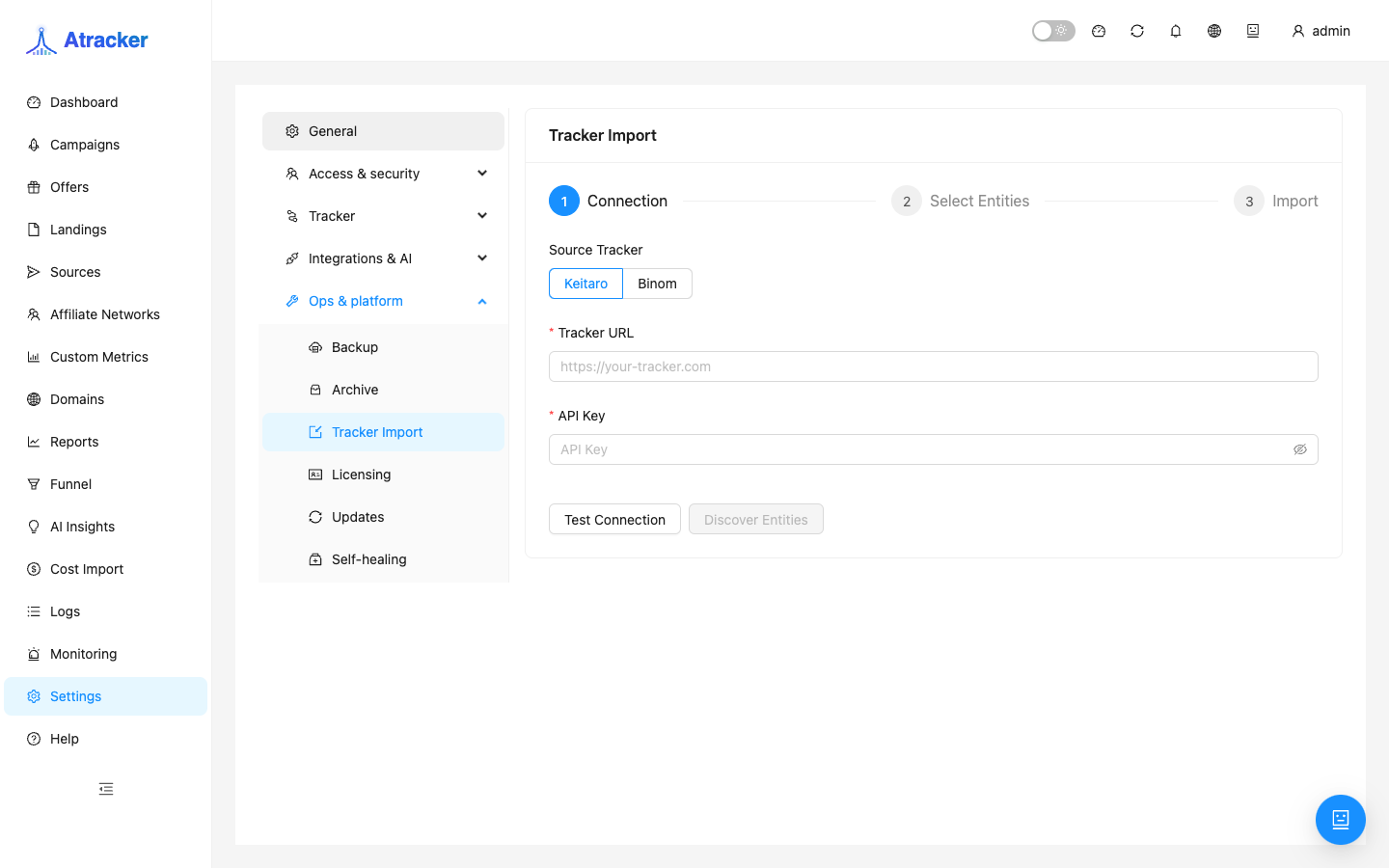
Tracker Import migrates structure from Keitaro or Binom into ATracker. It is a Settings tab, not a sidebar item: /settings?tab=tracker-import (Ops group). Import is read-only against the source.
Purpose
Migrate campaigns, offers, landings, sources, and (for Keitaro) networks/streams without rebuilding by hand. Imported campaigns arrive Paused — enable only after checking URLs and postbacks.
Prerequisites
- Source tracker URL and a read-capable API key.
- Admin access to Settings → Ops → Tracker Import.
- Expect name conflicts to get a suffix.
How to open
- Settings → Ops → Tracker Import.
- Path:
/settings?tab=tracker-import(optional&source=keitaro/binom).
Supported sources
| Tracker | API | Entities |
|---|---|---|
| Keitaro | Admin API v1 | campaigns, streams, offers, landings, sources, networks |
| Binom | Public API v2 | campaigns, offers, landers, sources |
Workflow: dry-run then import
- Enter URL and API key; pick Keitaro or Binom.
- Click Test Connection. Failures are often network/TLS/firewall, not a wrong key — confirm the URL is reachable from the ATracker server.
- Select entities. Preferred order: networks/sources → offers/landings → campaigns (and streams for Keitaro).
- Enable dry-run and run — preview without a live commit.
- Review dry-run output: what will be created, name conflicts (suffixes), entity counts.
- If thousands of campaigns, import in batches: sources/networks first, then campaign subsets so Paused review stays manageable.
- Switch to live import and run; watch progress.
- Open Campaigns: Paused → verify domain, flow, postback, cost → enable selectively.
After import checklist
- Domains: the ATracker tracking domain may differ — update links and DNS accordingly.
- Traffic Sources: align sub_id macros with old templates.
- Postback URL: take network URLs from ATracker; do not keep the old tracker URL.
- Flows / streams: confirm branches and offers match expectations after migration.
- Cost: historical spend does not migrate — configure Cost Import again if needed.
- Stats: structural import does not move historical clicks/conversions.
Do not immediately delete name-conflict suffixes: identify the canonical copy, then disable the spare. Document old ID → new ATracker UUID for scripts and cost tables.
API key and network prep
The Keitaro/Binom key needs read access to selected entities; write rights are unnecessary. Self-signed SSL, VPN, and firewalls between servers commonly break Test Connection. Import is read-only against the source.
Typical scenarios
- Pilot: dry-run on one source + 2–3 campaigns → live → verify postback with a test click in Logs.
- Full Keitaro migration: networks → sources → offers/landings → streams/campaigns in batches.
- Binom without networks: sources → offers/landers → campaigns, then manual macro checks.
Reading dry-run
In dry-run output look beyond success: what will be created and where names conflict. If you see unexpectedly many campaigns, narrow entities and dry-run again. A live import after a skimmed dry-run creates a pile of Paused entities you still have to review by hand. After each live batch open 1–2 campaigns — domain, flow, postback URL — before enabling traffic.
Common mistakes
- Looking for import in the sidebar — Settings → Ops → Tracker Import only.
- Live import without dry-run on a large account.
- Enabling every campaign before verifying postback URLs and domain.
- Expecting historical click stats after a structural import.
- Deleting suffix duplicates before confirming which copy is canonical.