AI Insights
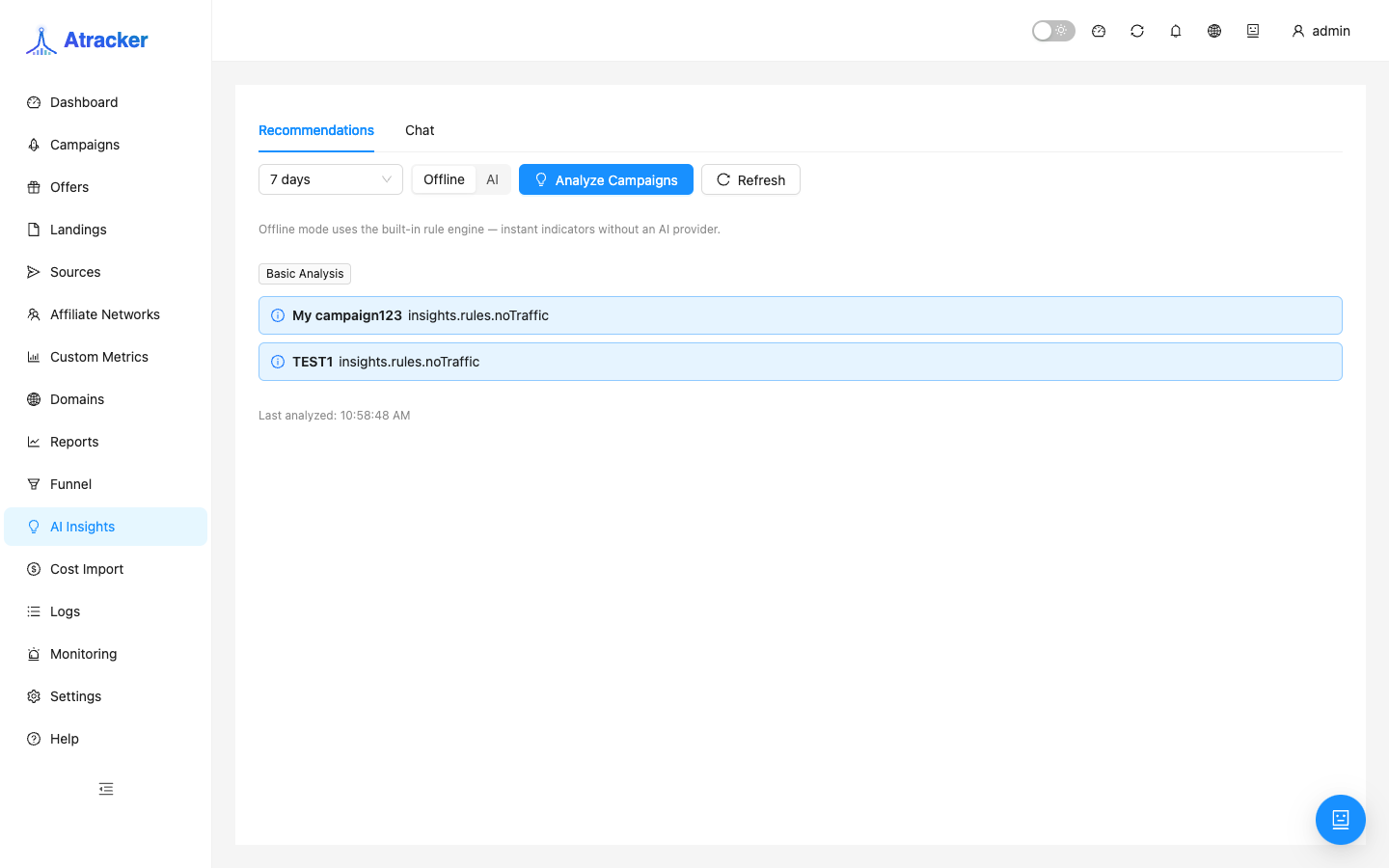
AI Insights (/insights) has two layers: rule-based campaign anomaly hints and an AI chat over metrics (when AI API is configured). It does not replace Reports: it speeds up what to check first; you confirm numbers in reports and logs. Use Insights as a morning triage queue, not as the sole reason to change bids.
Purpose
With dozens of campaigns it is easy to miss a CR drop or cost growth without revenue. Rule-based analysis scans campaigns for the period and raises warning/info/success. AI chat helps phrase a hypothesis in natural language but needs a provider key.
Prerequisites
- Campaign stats for the selected period.
- For AI chat: Settings → Integrations → AI API (OpenAI or Anthropic, API key, optional custom base URL).
- Rule-based mode works without an AI key.
How to open
- Sidebar → AI Insights.
- Path:
/insights.
Rule-based workflow
- Pick the analysis period — ideally the same as your Reports preset (e.g. Last 7 days).
- Run Analyze campaigns — signals with severity (warning / info / success).
- Focus on warnings: open the campaign, then the same cut in Reports (Campaign / Sub ID / Country).
- If conversions vanished — Logs → Conversions / Postbacks by Click ID. If ROI looks broken — Daily Costs in Cost Import for the same dates first.
- Only after numbers match decide pause/bid/offer change.
AI chat workflow
- Settings → Integrations → AI API: OpenAI or Anthropic, API key, optional custom base URL → Save.
- Return to
/insights, open the chat tab. - Ask a concrete question with period and campaign name.
- Replies stream in. Treat them as a hypothesis draft: list 1–3 checks and verify each in Reports/Logs.
- On provider auth errors, update the key in AI API — re-running Analyze campaigns will not fix the key.
How to read severity
warning — check today: CR drop, cost up without revenue, odd spread. info — context or soft signal. success — the rule found no issue at its threshold; not a quality certificate. Always open the campaign in Reports for the same period and, if needed, verify click/postback in Logs. On campaigns with dozens of clicks a CR warning may be noise — check absolute clicks/conversions before pausing.
Link to other sections
Insights → Reports → Funnel → Logs → Cost Import (if ROI broke due to missing spend) → Settings → Fraud Score (if Fraud % rose). AI chat does not know network agreements and does not replace Incoming postback checks. If AI API uses a custom base URL, confirm endpoint and key.
Permissions: users without campaign access see a trimmed picture. Read-only analysts can review insights but cannot edit Settings → AI API.
Typical scenarios
- Morning review: Analyze → warnings → top 3 in Reports with period comparison → bid decisions.
- After an offer change: period around the date + Funnel path + Logs test conversions.
- Hypothesis draft: AI chat lists sub_ids/geos → verify in Reports groupings.
- Cost up without sales: Insights warning → Cost Import reconcile → Postbacks for reject/sale.
Troubleshooting
- Empty list after Analyze — little stats for the period or no campaign access; widen period and permissions.
- AI chat missing / auth error — key and base URL in Settings → AI API.
- Odd yesterday signals after timezone change in General — day boundaries moved; re-run Analyze.
- Signal disagrees with Reports — align period/filters; Insights does not replace report groupings.
Limits and period discipline
Neither rule-based nor AI layers replace drilldown: Insights points where to look; Reports/Funnel/Logs provide proof. Keep the insights period aligned with your Reports preset or hypotheses diverge from numbers. After a timezone change in General, re-run Analyze — yesterday's day boundary moved. On low volume (dozens of clicks), verify absolute clicks/conversions before pausing. If AI chat lists sub_ids, paste them into a Reports filter instead of changing bids from the reply paragraph.
Common mistakes
- Expecting AI chat without a key in Settings → AI API.
- Changing bids from insight text without verifying cost/postbacks in Logs.
- Reading a success signal as everything is perfect.
- Ignoring Cost Import when an ROI warning coincides with zero spend in the tracker.
- Comparing insights for last 7 days with a calendar-week report without aligning dates.