Custom Metrics
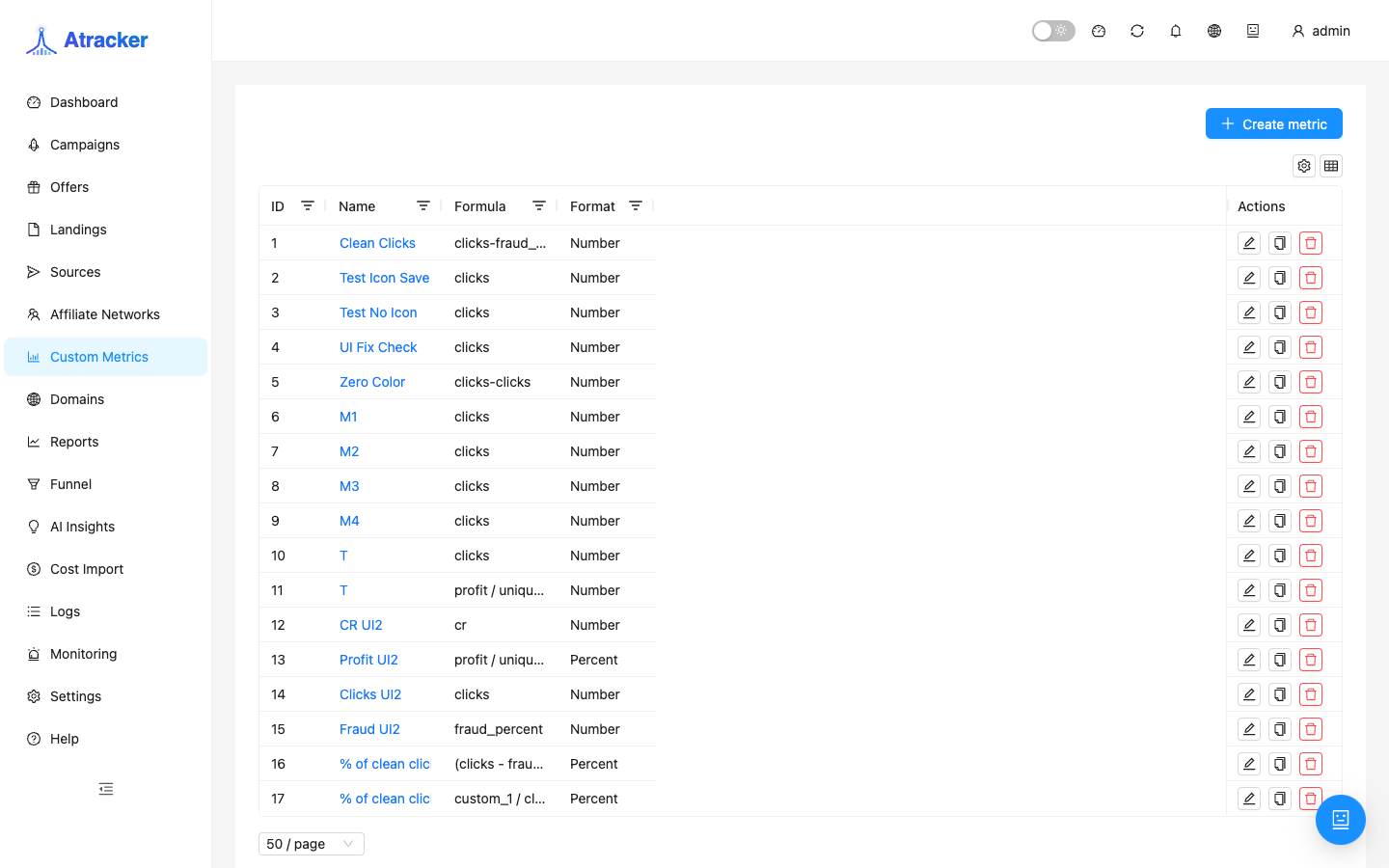
Custom Metrics (/new-metrics) is a formula builder on top of tracker base metrics. A saved metric becomes a column in lists (campaigns and more) and is available in Reports; on the Dashboard it appears only after you enable the matching metric block.
Purpose
Built-ins (clicks, CR, ROI) are often not enough: you need RPM, clicks without fraud, or a combined lead+sale CR. Define the formula once — it is computed wherever custom columns are wired.
Prerequisites
- Access to Custom Metrics.
- Knowing base aggregate fields (including fraud_* and statuses).
- For Dashboard — enable the metric in metric blocks config.
How to open
- Sidebar → Custom Metrics.
- Path:
/new-metrics(this exact path).
Create a metric
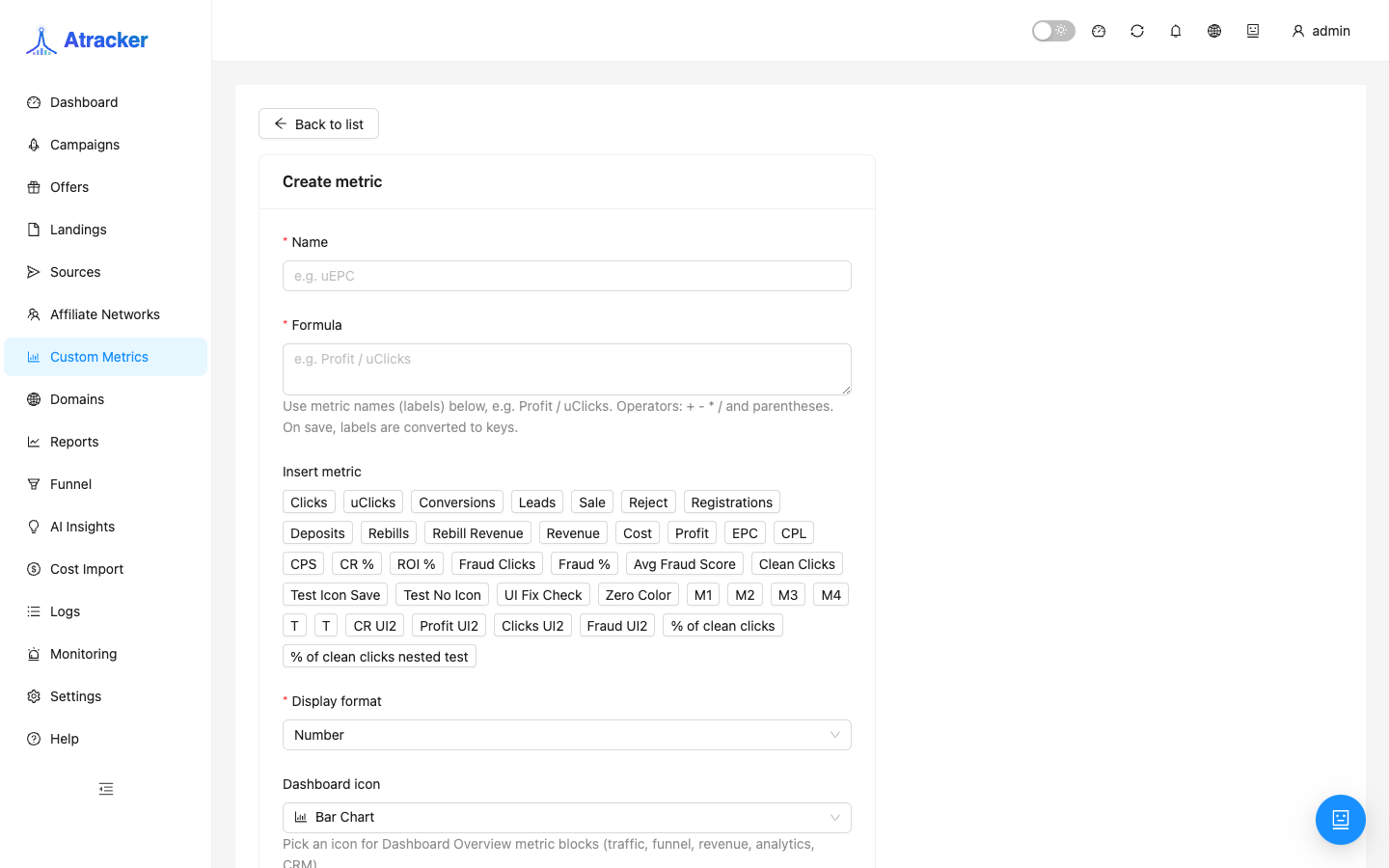
- Start create metric.
- Set a name.
- Build a formula with + - * / and parentheses. Examples:
Revenue / Clicks * 1000(RPM);(Leads + Sales) / Clicks * 100;Clicks - Fraud Clicks. - Base fields: clicks, unique_clicks, conversions, leads, sale, reject, registration, deposit, rebill, rebill_revenue, revenue, cost, profit, epc, cpl, cps, cr, roi, fraud_clicks, fraud_percent, avg_fraud_score.
- Pick display format: Number, Percentage, or Currency.
- Save. Open Campaigns or Reports — the metric should appear in pickers.
- On the Dashboard enable the metric in visible blocks — otherwise the card/series will not show.
Where it appears after save
After Save the formula lives in the catalog. Lists and Reports pick it up as a column/metric. Dashboard requires the metric block. After rename, refresh presets and visible blocks. Deletion removes it from pickers; old CSV exports are not recalculated.
Formula practice and verification
Keep numerator and denominator in the same unit. Use Currency for money. For ratios use Percentage and verify scale on one campaign with known clicks/revenue: open Campaigns and manually compare revenue/clicks*1000 to the column. Prefer two metrics (e.g. clean clicks, then CR on clean clicks) over one unreadable one-liner.
Keep names short and unambiguous in tables (RPM, Clean clicks, CR lead+sale). Right after Save, add the metric to your working Reports preset and campaign list columns — otherwise the team keeps the old set and thinks the metric is broken.
Base fields in context
clicks / unique_clicks — volume; often paired with fraud_clicks. leads / sale / reject / registration / deposit / rebill — catalog statuses; combine only what postbacks actually send. revenue / cost / profit — money; cost without Cost Import or a campaign cost model is ~0. cr / roi / epc / cpl / cps — already derived: do not multiply by 100 again if format is Percentage. fraud_clicks / fraud_percent / avg_fraud_score — for clean metrics before optimizing a landing.
Typical scenarios
- RPM. revenue/clicks*1000; verify on a campaign with known spend/revenue.
- Clean clicks. clicks - fraud_clicks; then optional CR on clean clicks if fraud_clicks is populated.
- Combined CR. (leads+sale)/clicks with Percentage when both count as success.
- Reject control. reject/conversions or reject/leads — morning network-quality signal before disputing a Click ID in Logs.
- Dashboard KPI. Save → enable metric block → Dashboard card; keep Dashboard and Reports periods aligned.
Link to reports, lists, and cost
After the metric appears in the picker, add it to your saved Reports preset. In campaign lists enable the column via the table column picker. If the formula depends on cost, configure Cost Import or the campaign cost model first. Renaming does not auto-update preset labels — revisit Daily ROI and similar presets. Deletion removes the metric from pickers; downloaded CSVs are not recalculated.
Troubleshooting
- Missing in Reports — refresh, confirm Save, check report-column permissions.
- Empty on Dashboard — metric block not enabled.
- Odd value — check format (Percentage vs already-percent cr) and compute manually on one campaign.
- Divide by clicks at zero traffic — UI shows empty/zero (Infinity guard), not a formula bug.
Common mistakes
- Expecting Dashboard display without enabling the metric block.
- Percentage format on an already-percent field like cr.
- ROI formulas without imported cost.
- Duplicating built-in ROI/CR without need — preset clutter.