Public API
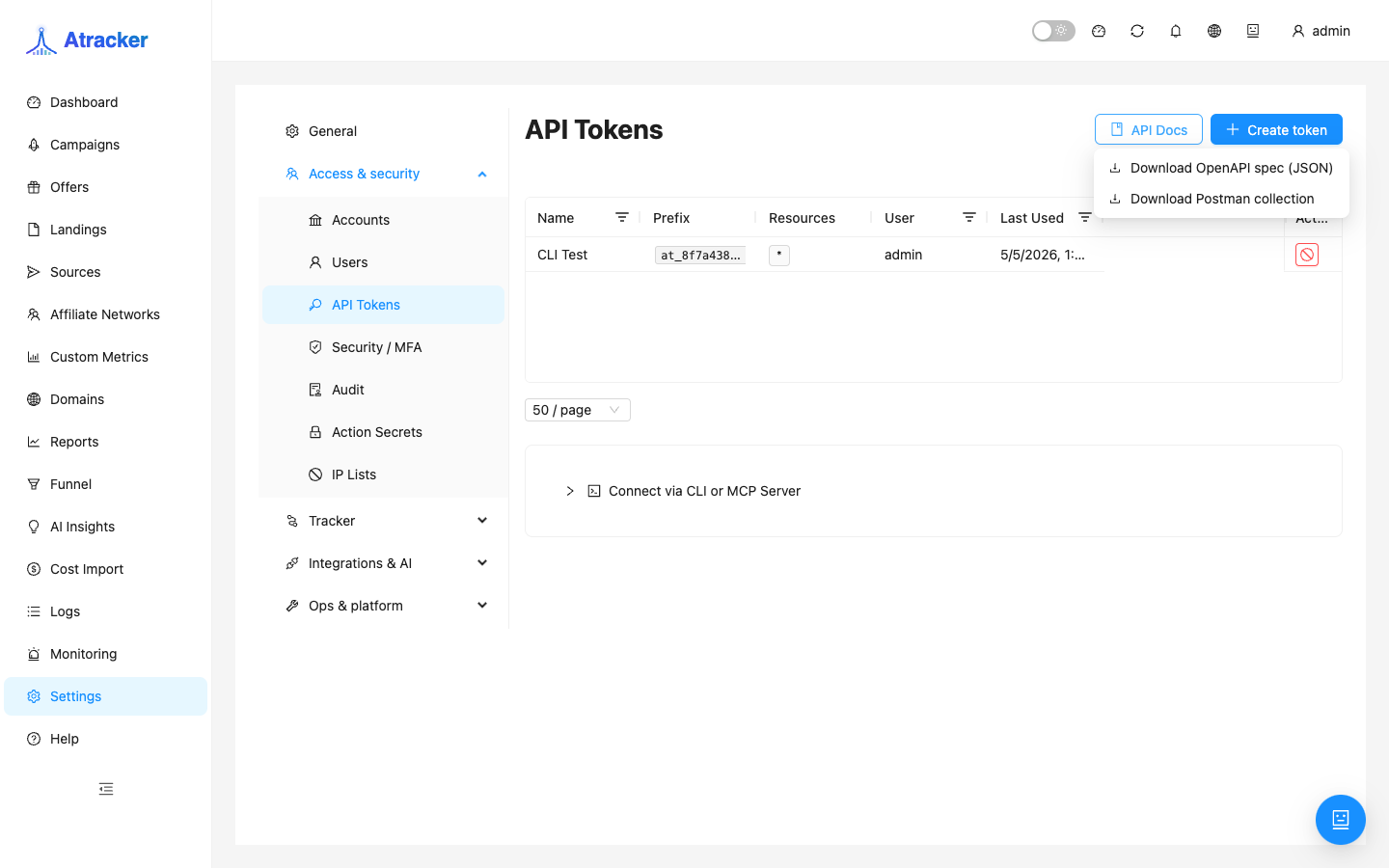
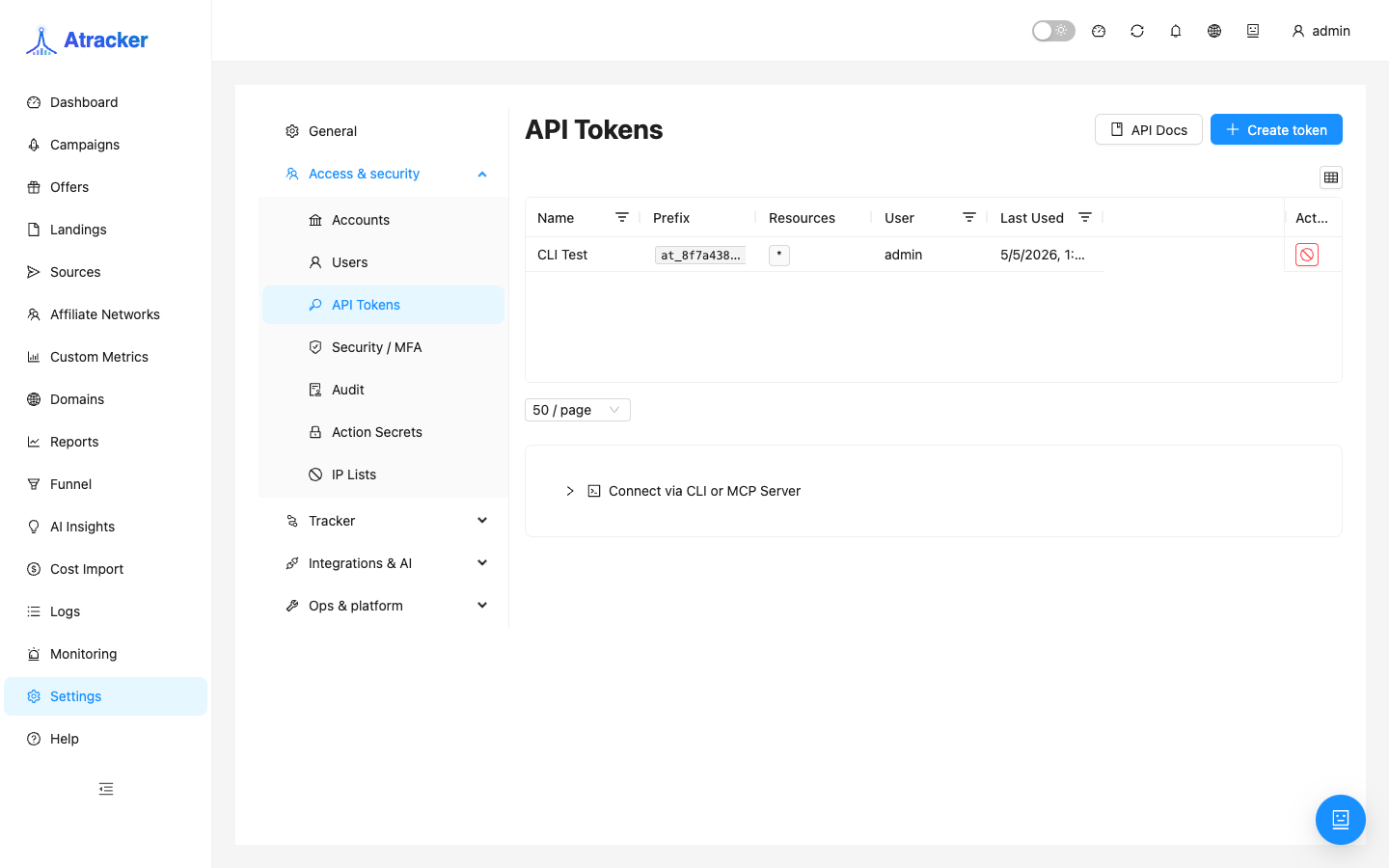
Public API v1 provides programmatic access to campaigns, offers, flows, reports, and postbacks. Tokens and schema live under Settings → Access & security → API Tokens. In production the interactive Swagger UI (/api/docs) is disabled: download the OpenAPI JSON or Postman collection via the API Docs button on that page.
Purpose
Automate CRUD, pull reports into external systems, and send server-side postbacks from a CRM. Operators keep the UI; scripts use the API.
Prerequisites
- Access to
/settings?tab=api-tokens. - RBAC awareness: grant only the resources you need (campaigns, offers, reports… — use
*deliberately).
How to open and get the schema
- Settings → Access & security → API Tokens (
/settings?tab=api-tokens). - Click API Docs → Download OpenAPI spec (JSON) or Download Postman collection. Files come from the authenticated admin API — that is the expected production path.
- Do not expect public Swagger at
/api/docs: in production it is disabled (JSON{"error":"Not found"}). Import OpenAPI into Postman / Insomnia / your IDE.
Auth and first request
- Create a token (+ Create token) with a minimal resource set and copy the secret immediately — it may not be shown again.
- Header:
Authorization: Bearer <token>. - Try a simple call such as
GET /api/v1/campaigns(curl or the imported collection). - For reports use
POST /api/v1/reportswith period/groupings from your OpenAPI — do not copy stale bodies from another server. - For server-side conversions use
GET /api/v1/postbackwith clickid, payout, status (and other fields per schema).
Main endpoints
| Resource | Method / path |
|---|---|
| Campaigns | /api/v1/campaigns (GET, POST, PUT, PATCH, DELETE) |
| Offers | /api/v1/offers |
| Flow | /api/v1/campaigns/:id/flow (GET, PUT) |
| Reports | POST /api/v1/reports |
| Postback | GET /api/v1/postback |
| Check URL | POST /api/v1/campaigns/:id/check-url |
| Traffic sources | /api/v1/sources and alias /api/v1/traffic-sources |
Full field schemas, enums, and body examples live in the OpenAPI downloaded from this instance. A file from another server may differ by version.
Limits and errors
- Default rate limit ~300 req/min (env
API_V1_RATE_LIMIT_PER_MIN). This is the Public API limit — not Settings → General click/track UI limits, and not Fraud Score DDoS clicks/sec. - On 429, slow down and add backoff; do not poll reports every second.
- JSON errors with error and code fields — read code before retrying.
Security practice and scenarios
Use different tokens per integration (CRM postback, BI reports, internal script). On leak, revoke in API Tokens and create a new one. Do not log full Bearer values in CI. For CRM postbacks, restrict IPs when possible and always send the correct clickid — otherwise the conversion will not attach (verify in Logs).
- Nightly BI report: one scheduled POST /reports with the same period/groupings as the UI preset.
- CRM → sale: GET postback with clickid/status/payout → verify in Logs → Conversions.
- Auto-create offers: POST /offers with a token that only has the needed write rights.
Troubleshooting
- 401/403 — revoked token, copied with whitespace, or RBAC missing the resource.
/api/docsreturns Not found — expected in production; use API Docs → Download OpenAPI.- Empty API report while UI has data — align period/timezone and request body with the schema.
- Postback accepted but no conversion — wrong clickid or status; check Logs → Postbacks/Conversions.
Common mistakes
- Committing tokens to a public repo.
- Confusing API ~300 limit with click-tracking limits.
- Expecting interactive Swagger at
/api/docsin production. - Granting the token
*“just in case” instead of minimal RBAC.